
Overview
The Certificate of Loan is a document that shows an employee’s loan payment records for a specified period. This includes loans from government agencies such as SSS and Pag-IBIG (HDMF).
This certificate is commonly requested for verification, documentation, or employee reference.
When to Use This Report
You can generate a Certificate of Loan when:
- An employee requests a copy of their loan payment history
- You need documentation for loan verification
- Supporting documents are required for audit or compliance purposes
Steps to Generate a Certificate of Loan
- Log in to Sprout Payroll
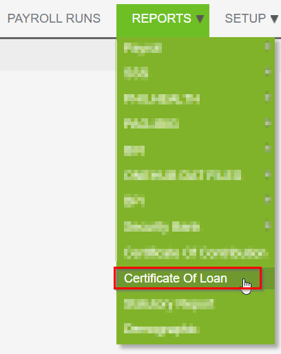
- Go to the Report Module

- Click on Certificates of Loan
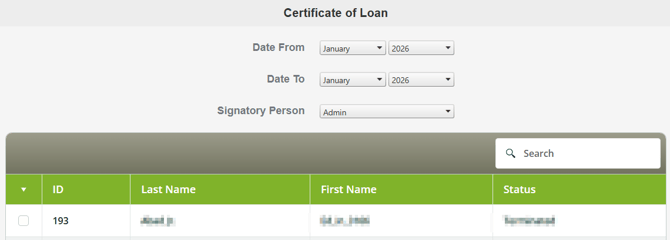
- Specify the following details:
- Date Range
- Employee Name
- Signatory
- Select the type of loan you want to generate:
- SSS Salary Loan
- SSS Calamity Loan
- HDMF Loan
- HDMF Calamity Loan

Important Notes
- Ensure that loan deductions are correctly posted in payroll before generating the certificate.
- The report will reflect only the recorded loan payments within the selected date range.
- The certificate is generated in a standard PDF format.
Need Assistance?
If you need help generating this report or have questions, feel free to contact our support team.
Want real-time responses? Explore Sidekick, your 24/7 guide for product inquiries!