
Overview
Single Sign-On (SSO) allows employees to access Peoplebox using their existing Sprout credentials, eliminating the need for separate usernames and passwords.
This integration uses the SAML protocol to authenticate users securely between Sprout and Peoplebox.
Benefits
- One set of credentials for both platforms
- Improved security and user experience
- Reduced password management overhead
- Centralized authentication through Sprout
Prerequisites
Before starting the setup, ensure the following:
- Active Peoplebox account
- Company Admin access in Peoplebox
- Assigned Sprout representative
- Ability to receive and upload a metadata XML file
Configuration StepsStep 1: Open Settings
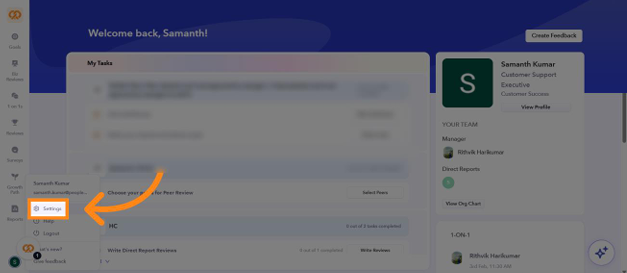
From the Peoplebox homepage:
- Click your profile icon.
- Select Settings from the dropdown menu.
Step 2: Navigate to Single Sign-On
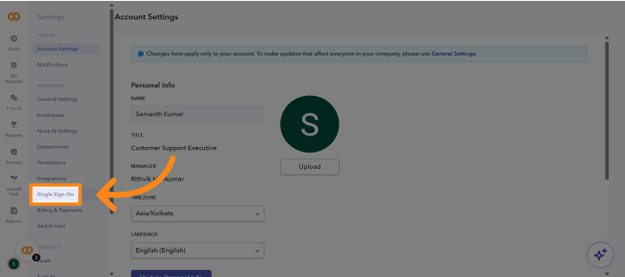
- In the Settings panel, scroll to the Workspace section.
- Click Single Sign-On.
Step 3: Open SAML SSO Configuration
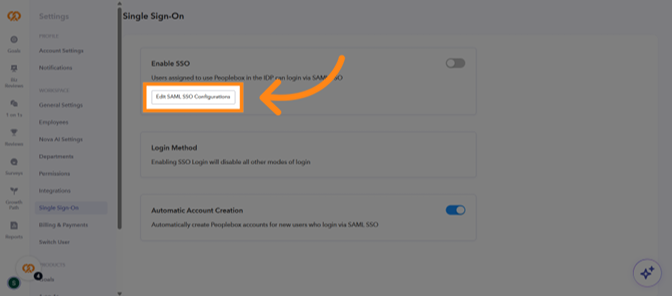
- Click Edit SAML SSO Configurations.
Step 4: Share SSO Details with Sprout
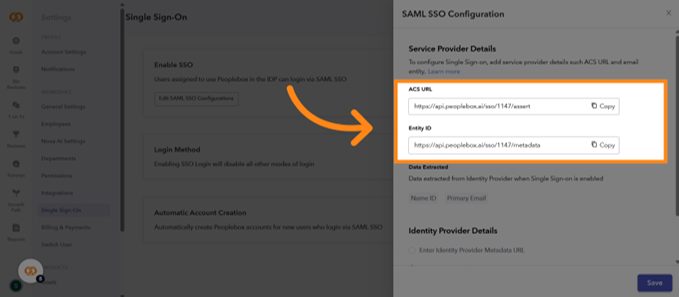
Copy the following values displayed on the page:
- SSO ACS URL
- Entity ID
Send both values to your assigned Sprout representative.
The Sprout team will use these values to generate your Identity Provider Metadata XML file.
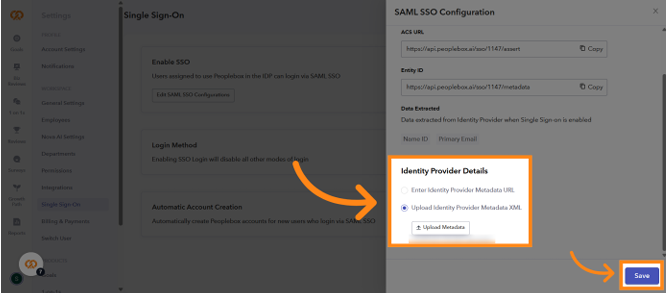
Step 5: Upload Metadata XML
Once you receive the XML file from Sprout:
- Navigate to Identity Provider Details
- Click Upload Identity Provider Metadata XML
- Select Upload Metadata
- Choose the XML file
- Click Save
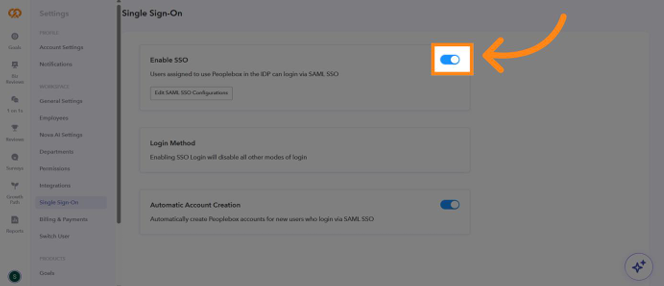
Step 6: Enable SSO
After saving the configuration:
- Locate the Enable SSO toggle.
- Switch the toggle ON.
All users will now authenticate through Sprout when accessing Peoplebox.
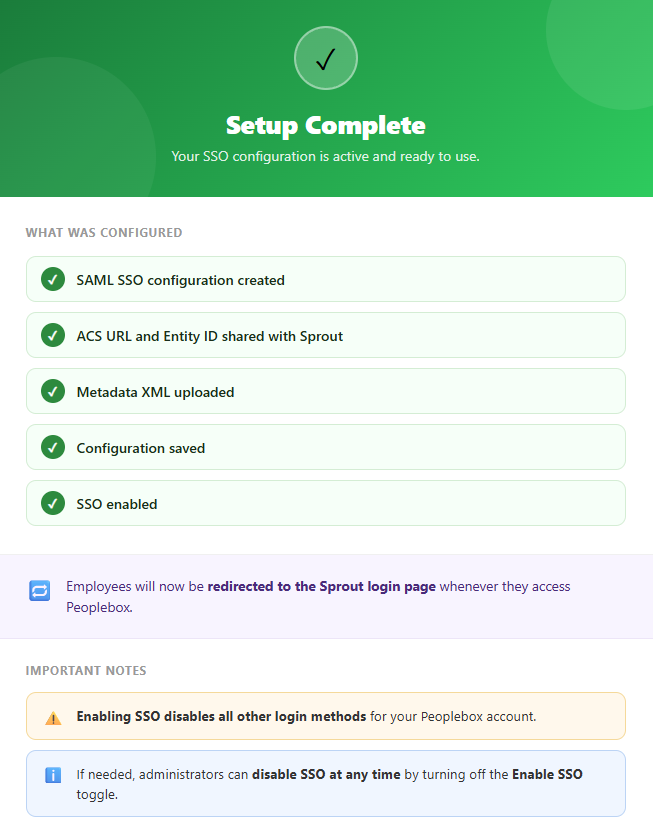
Setup Complete
Troubleshooting
Unable to log in after enabling SSO
- Verify that the metadata XML uploaded is the latest file provided by Sprout.
- Confirm that the ACS URL and Entity ID sent to Sprout are correct.
SSO option not visible
- Verify that you have Company Admin access in Peoplebox.
Users are not redirected to Sprout
- Confirm that the Enable SSO toggle is turned on.
- Re-save the SAML configuration and test again.
Want real-time responses? Explore Sidekick, your 24/7 guide for product inquiries!