
Your team, always within reach. The Employee Directory helps you quickly find anyone in your organization. With instant access to employee profiles, you can view their contact details all in one convenient place within the Sprout Mobile App.
Employee Directory
You can find the Employee Directory widget on the home screen of the Sprout Mobile App.
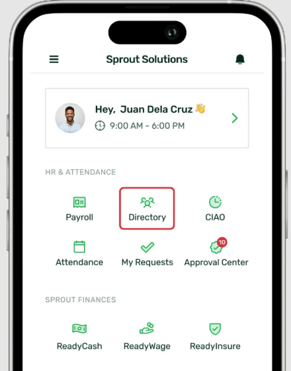
Note that this widget is only visible to users with a Manager or Admin Dashboard Type, as they have access to view employee contact information.
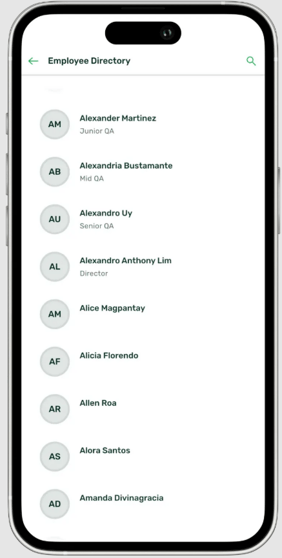
Inside the Employee Directory, you’ll see a list of employees in your organization arranged in alphabetical order. You can also use the Search function to quickly find a specific person.
Contact Details
Upon selecting an employee, you’ll be able to view their full name and their contact details, such as Mobile Number and Email Address, based on their Employee Profile. These also contain which Company they belong to and which Department.
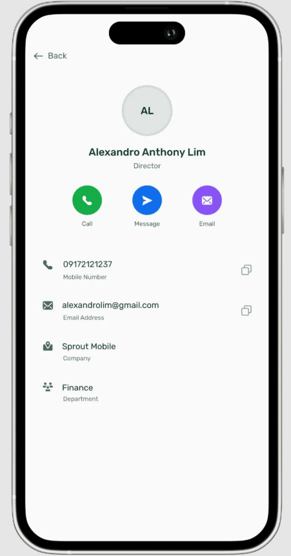
You also have quick-access shortcuts to contact them. Tapping Call will open your phone dialer, Message will open your messaging app, and Email will redirect you to your default email application to send them an email.
Want real-time responses? Explore Sprout Info, your 24/7 guide for product inquiries!