
Overview
Sprout's Webhook Subscription Service enables clients and partners to receive automated notifications whenever specific events occur within Sprout HR. Notifications are sent to a registered Callback URL via HTTP POST requests, allowing external systems to stay synchronized with employee data changes.
How It Works
When a subscribed event occurs in Sprout HR, the webhook service sends a notification payload to the registered Callback URL provided by the client or partner.
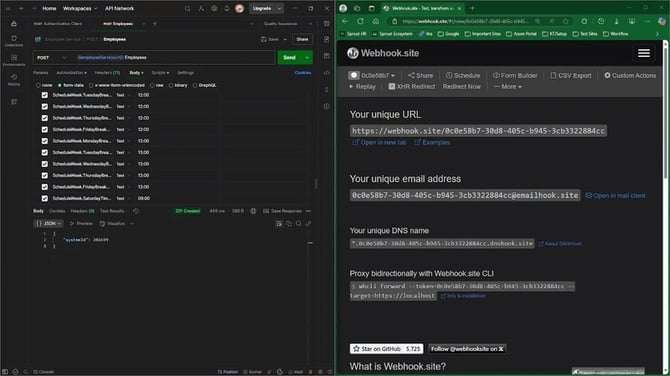
Webhook Flow
- Client/Partner provides a Callback URL to Sprout.
- Sprout registers the URL for the selected event type(s).
- A subscribed event occurs within Sprout HR.
- Sprout sends an HTTP POST notification to the registered Callback URL.
- The client’s system receives and processes the notification
Prerequisites
Before subscribing to a webhook event, prepare the following:
|
Requirement |
Description |
|
Callback URL |
A publicly accessible endpoint that can receive HTTP POST requests from Sprout. |
|
Event Type |
The specific event notification that you would like to subscribe to. |
How to Subscribe to a Webhook Event
Webhook subscriptions are configured by Sprout.
Step 1: Prepare Your Callback URL
Ensure that your endpoint:
- Is publicly accessible
- Accepts HTTP POST requests
- Can process incoming JSON payloads
Step 2: Identify the Event Type
Determine which event notification(s) you would like to receive.
Step 3: Contact Sprout
Provide the following information:
- Callback URL
- Event Type(s) to subscribe to
Sprout will register your webhook subscription and notify you once the setup is complete.
Supported Webhook Events
HR Employee Create
Description
Triggered whenever a new employee record is created in Sprout HR.
Triggered By
- POST Employee (Single Add)
HR Employee Update
Description
Triggered whenever an employee record is updated in Sprout HR.
Triggered By
Single Edit
- PUT BasicInformation
- PUT ContactInformation
- PUT WorkInformation
- PUT GovernmentInformation
- PUT PayrollInformation
Partial Updates
- PATCH BasicInformation
- PATCH ContactInformation
- PATCH WorkInformation
- PATCH GovernmentInformation
- PATCH PayrollInformation
Webhook Notification Payload
When an event is triggered, Sprout sends a JSON payload similar to the example below:
{
"EntityId": "",
"SproutUserId": "",
"EventType": "",
"OccuredAt": "",
"ExecutionAttempt": 1,
"ClientId": 1
}
Payload Field Definitions
|
Field |
Description |
|
EntityId |
The identifier of the entity associated with the event. For employee-related events, this refers to the employee's SystemId. |
|
SproutUserId |
The Sprout User ID associated with the entity, if applicable. |
|
EventType |
The event that triggered the webhook notification. |
|
OccuredAt |
The date and time when the event occurred. |
|
ExecutionAttempt |
Indicates how many times the webhook service attempted to deliver the notification. |
|
ClientId |
The Client ID of the tenant where the event originated. |
Sample Use Cases
Clients and partners may use webhook notifications to:
- Synchronize employee records with external systems
- Trigger automated workflows when employee data changes
- Maintain real-time integrations with HR platforms
- Monitor employee creation and update activities
Notes
- Callback URLs must be publicly accessible.
- Notifications are sent through HTTP POST requests.
- The payload structure may vary as additional webhook events become available in future releases.
- Webhook subscriptions must be configured through Sprout.
Want real-time responses? Explore Sidekick, your 24/7 guide for product inquiries!