
If a new hire can't access their onboarding, whether from a lost PIN, a missing email or a wrong address, you can resend their invite from Command Centre. This article covers resending a PIN, correcting the email address, and sharing or previewing their link.
- Open the new hire from the list.
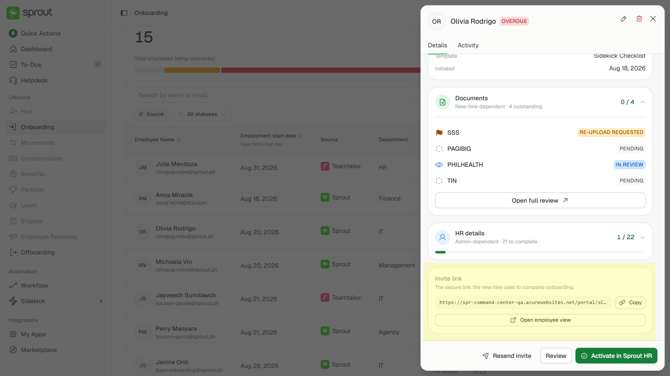
- Choose Resend invite — the link stays the same and a new PIN is emailed to them.
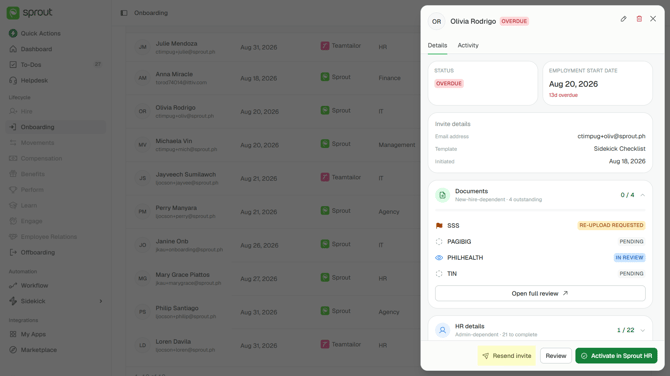
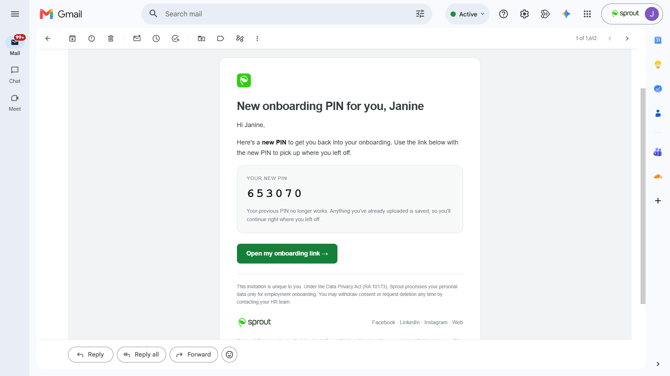
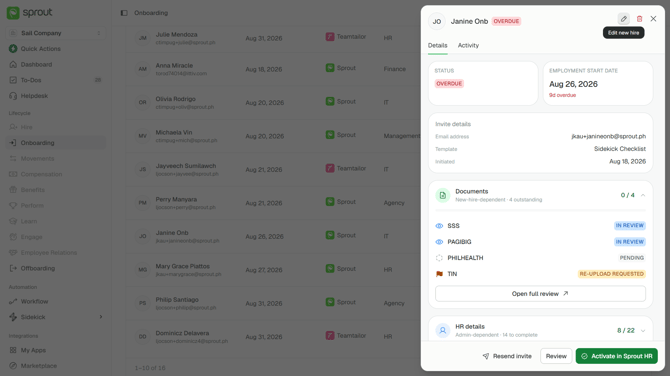
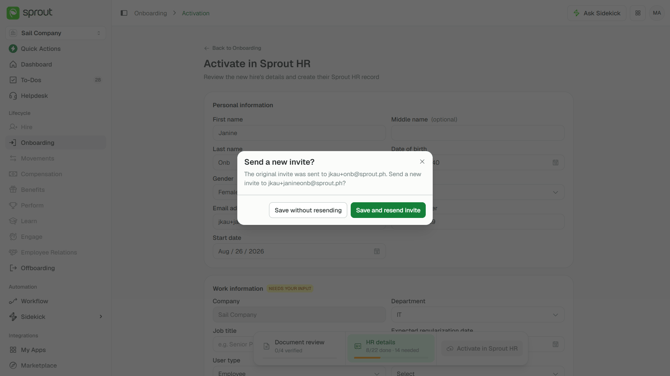
- If the email address itself is wrong, choose the edit icon at the top of their record — the fields aren't editable until you do — then correct the email address and choose Save draft on the unsaved-changes bar at the bottom. The new email address doesn't take effect until you save: leave without saving and the old one stands.
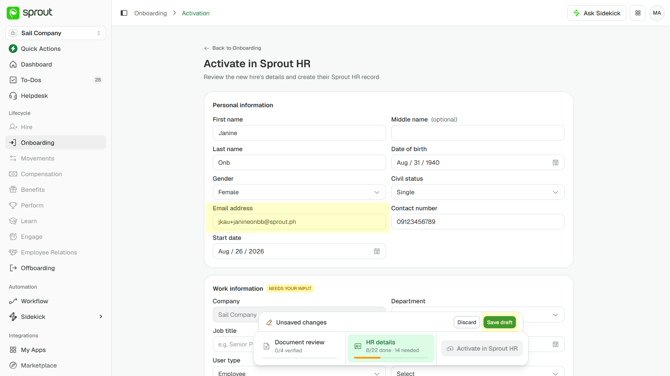
- Saving asks whether to send a new invite, naming both the old and the new email address. Save and resend invite issues a fresh link and PIN to the new one and retires the old; Save without resending corrects the record and emails nothing. Nothing goes out unless you choose to send it
The record also carries an Invite link card. Copy gives you the new hire's secure link if you need to send it another way, and Open employee view shows you exactly what they're looking at — useful when they're stuck and describing a screen you can't see.
Getting Help
Questions about your template go to your Customer Success Manager. If something looks wrong, contact Sprout Support and tell us which new hire it concerns. Common questions are answered in Employee Onboarding — FAQs.
Got a question or need extra help? Sidekick makes it easy — get answers, raise a ticket, or schedule a call with our experts, all in one place.