
- I clicked "Perform Bulk Actions", but it doesn't look like anything happened.
When performing bulk actions, there can be a slight delay for them to show as completed. For example, you may bulk change a large number of candidates' workflow statuses - it can take several minutes before it is reflected in the account!
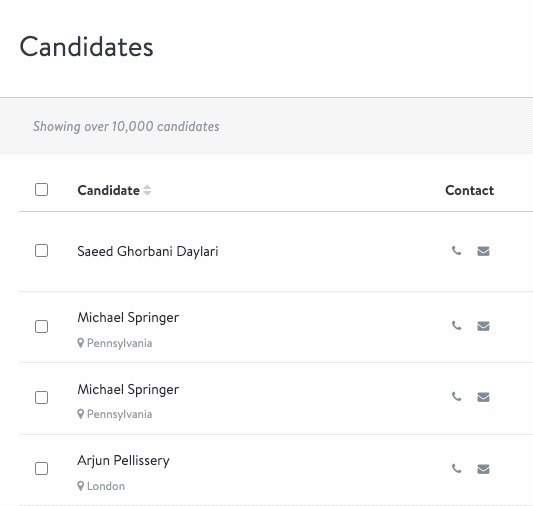
- How do I know which candidates have been selected for my bulk action?
When clicking the checkbox at the very top of the list next to "Candidate", ALL candidates will be included in that Bulk Action, not just the first page currently being viewed. If you’d like to select only certain candidates, you will need to select those candidate checkboxes individually.
- Can all users on the account perform Bulk Actions?
Bulk Actions are accessible to Super Admins, Recruiting Admins, and Super Users. Recruiting users and below are not able to perform Bulk Actions.
- I performed a bulk resume download, but I didn't receive any resumes in my email. What happened?
There are a few things to review if you did not receive any resumes from a bulk resume download:
- Ensure the candidates selected have resumes uploaded in their profiles. This can be confirmed by checking if they have a resume populated in their Resume Preview section of the profile.
- If the resumes were collected as part of a custom questionnaire rather than the default profile question on the application, the system does not recognize them as "resumes" when performing a bulk resume download. They will need to be manually exported or updated within the Resume Preview section of the profile and downloaded again.
- If the resumes were uploaded into the candidate Documents tab separately from the initial application, and were not specifically updated in the Resume Preview section of the candidate profile, the system does not recognize them as "resumes" when performing a bulk resume download. They will need to be manually exported or updated within the Resume Preview section of the profile and downloaded again.
- Can I download only the resumes of candidates that I plan to interview for a certain job?
Yes! You can use the filter options on the candidate page to filter for the candidates of a specific job and then use the workflow stage drop-down to select which status they are in, then continue with the instructions above for Bulk Resume Download.
- Can I bulk change workflow stages across multiple jobs?
Bulk workflow status changes will need to be performed within each job, as workflows can vary across jobs.
- Do bulk emails get logged in the Candidate Profile?
Yes, bulk emails will appear on the "Emails" tab of the Candidate Profile.
- If a candidate has opted out of texting, will I be able to text them or ask them to opt in using Bulk Actions?
No. Once a candidate has opted out of text messages, you cannot text the candidate, nor can you ask again for consent.
Want real-time responses? Explore Sidekick, your 24/7 guide for product inquiries!