
Sidekick lets you submit a concern directly to your HR team when it is unable to answer your question. You'll receive a confirmation with your ticket number and can view the status of your submitted tickets anytime.
A ticket can be filed when:
- You ask Sidekick to file a ticket — when you say something like "I want to file a ticket"
- Sidekick can't find an answer — when Sidekick can't find relevant information to respond to your question
- Your request is outside Sidekick's scope — some topics or tasks are outside of what Sidekick can do
- A feature is disabled — when the functionality you're looking for isn't turned on for your account
- Sidekick detects frustration — repeated follow-ups or rephrasing that suggest the conversation isn't resolving your concern
- Your request is something an agent can't do — Sidekick understands what you're asking, but it's outside of what that agent is allowed to handle (e.g., asking to view someone else's payslip)
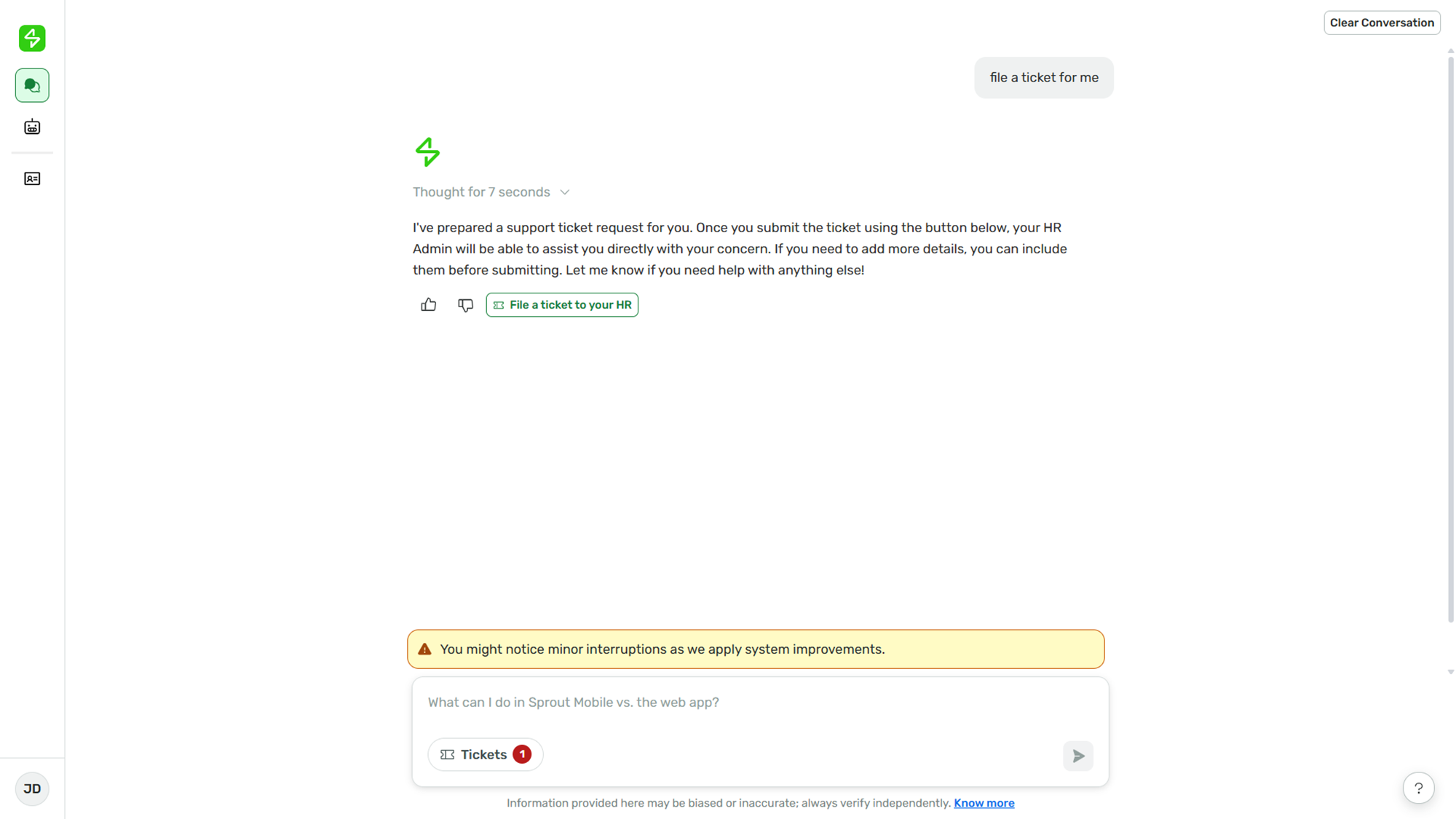
- Ask Sidekick to file a ticket.
- Click File a ticket to your HR.
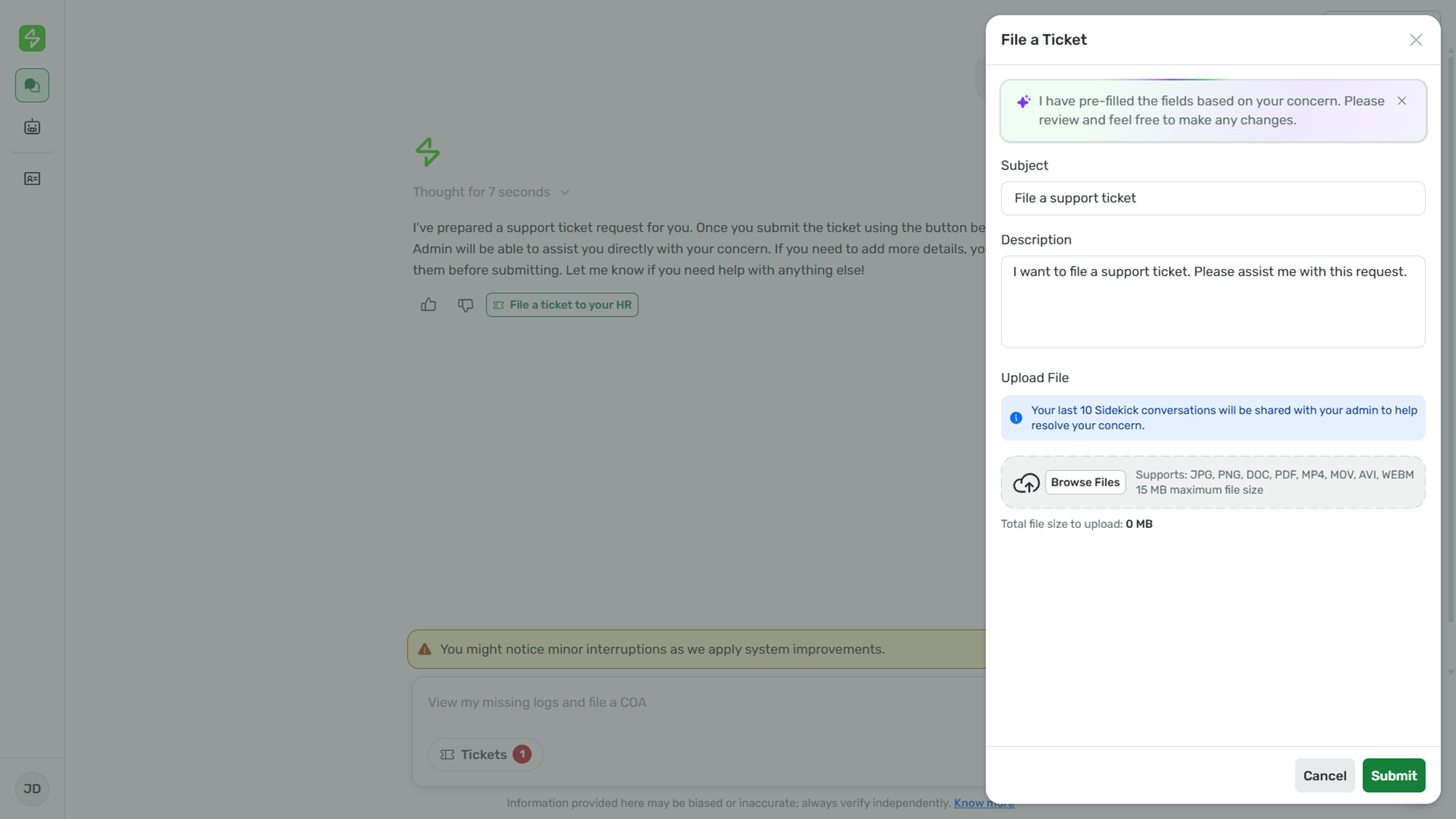
- Review the pre-filled details.
|
Note: Sidekick automatically fills in the subject and description based on your conversation. You can edit these if needed. |
1. Upload attachments, if any (Optional).
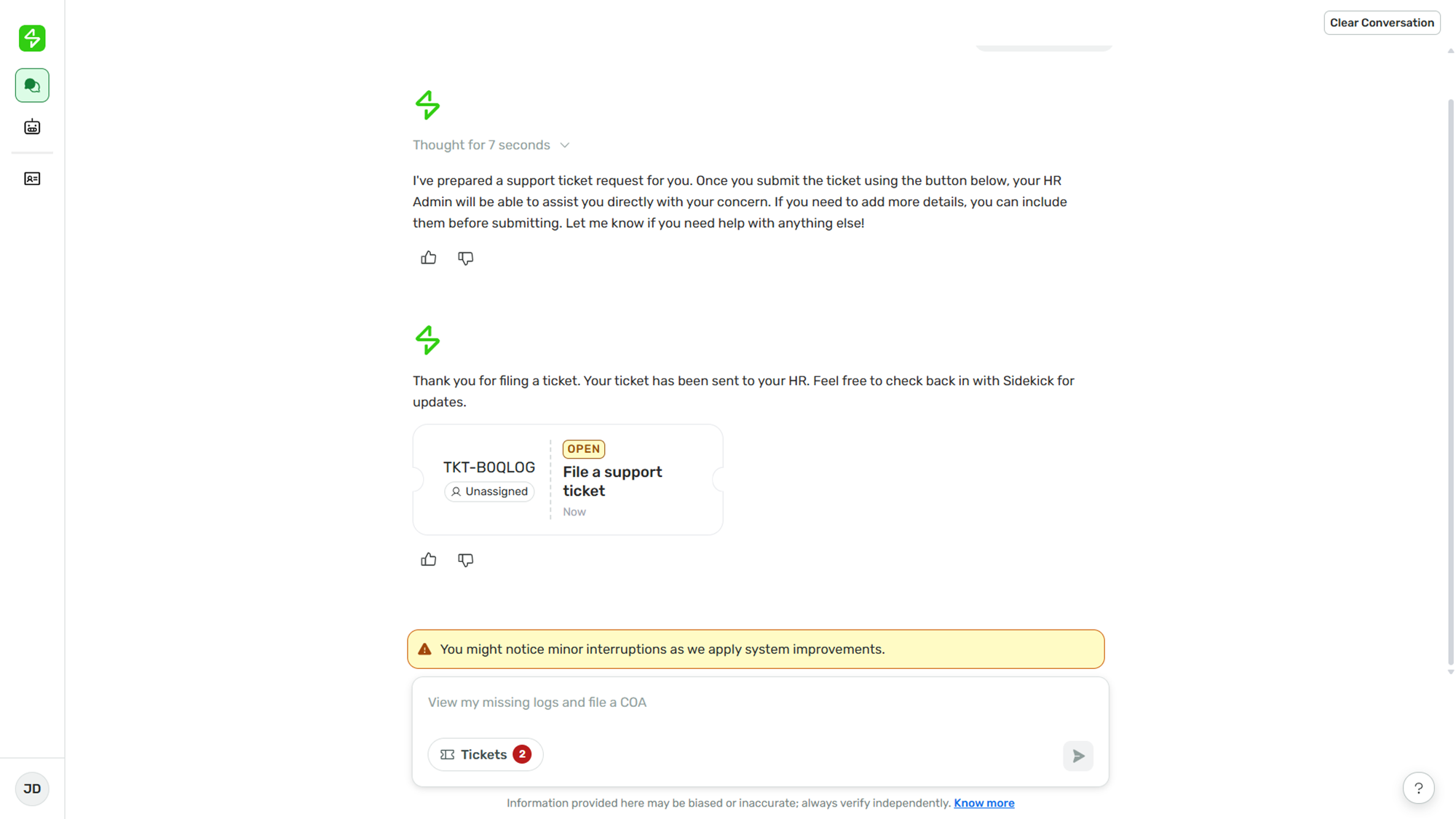
2. Click Submit. Your ticket will be sent to your HR admin. Both you and your HR admin will receive an email with the ticket details.
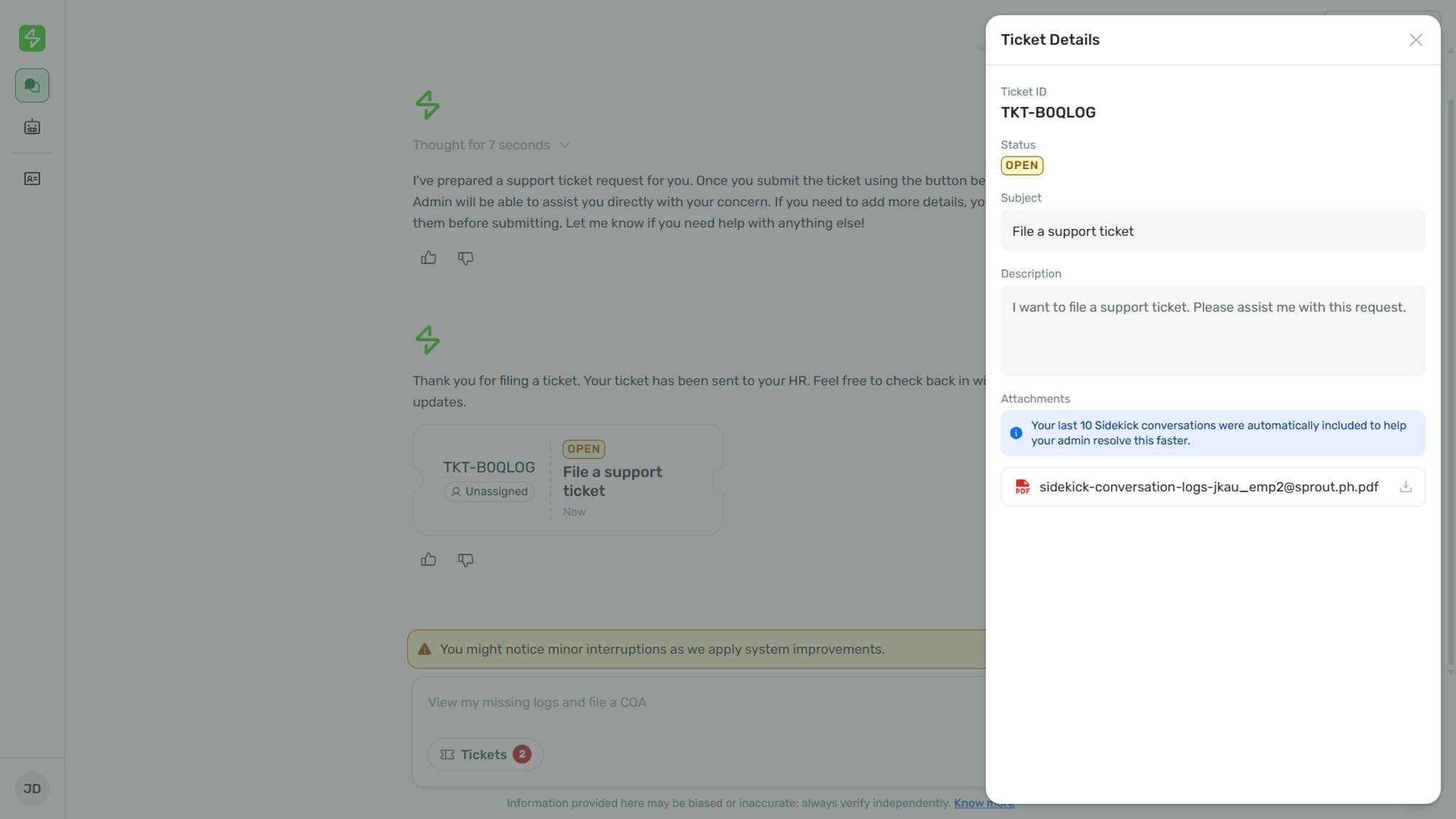
3. Click on the ticket card in the chat to see the full details, including your conversation history, which is automatically attached to help your admin resolve your concern faster.
Want real-time responses? Explore Sidekick, your 24/7 guide for product inquiries!