
Have you ever noticed an employee’s clock-in location showing up in an adjacent building or just down the street from your office? It is common to wonder why location tags aren't always 100% exact down to the desk, but this variance is actually a standard characteristic of how modern mobile devices handle spatial data.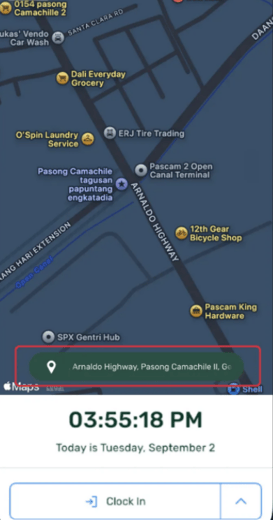
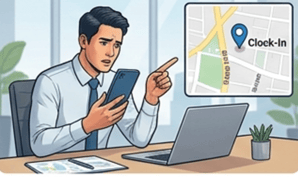
How Geotagging Works Under the Hood
When an employee taps "Clock In," the mobile application requests the current location coordinates directly from the device's native operating system (iOS or Android). The app relies on the raw data the smartphone provides.
Here is why those coordinates can naturally drift:
When you clock in, the app simply asks your smartphone (iOS or Android) where it is. The app relies entirely on whatever location your phone hands over at that exact second.
Here are the four main reasons your phone's GPS might be slightly off:
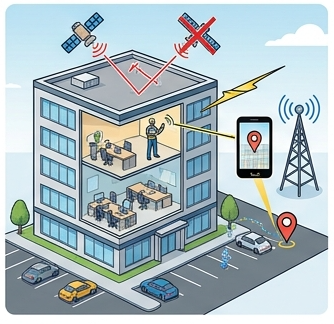
1. Indoor Signal Blocks (Walls & Roofs): GPS needs a clear sky view. Concrete and glass block satellites, forcing your phone to estimate via Wi-Fi or cell towers.Example: Sitting at your desk, your phone relies on a cell tower and tags you in the parking lot 50 feet away.
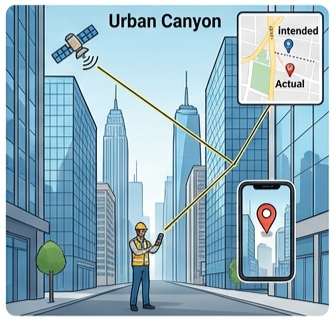
In cities, satellite signals bounce off skyscrapers, causing delays that trick your location tracker.
Example: A signal bounces off a glass building across the street, placing your pin in the opposite building.3. Automatic Map Address Matching
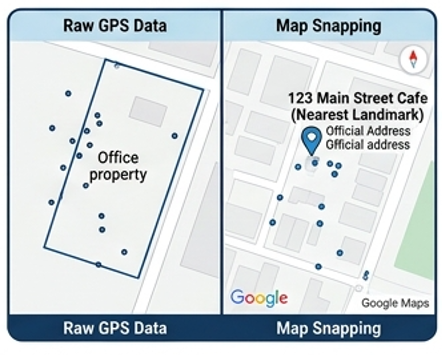
Map apps snap raw location coordinates to the nearest official street address or landmark.
Example: If your signal drifts to the edge of your building, the map snaps your pin to the cafe next door.4. Battery-Saving Quick-Fixes: To preserve power, your phone uses cached location data instead of spending battery to fetch fresh satellite signals.
Example: You clock in immediately upon entering the office, but your phone sends your location from 2 minutes ago when you were still on the bus.
Best Practices to Improve Geotagging Accuracy
While minor location variance is an inherent technical limitation of mobile GPS—especially indoors—employees can follow a few simple steps on their devices to ensure the tightest possible accuracy when logging in:
- Enable High-Accuracy Location Services: Ensure device location settings are set to high accuracy, allowing the OS to combine GPS, Wi-Fi, and cellular data.
- Keep Wi-Fi Enabled: Even if not connected to a network, turning Wi-Fi on helps the phone triangulate nearby network beacons for faster indoor positioning.
- Allow a Brief Pause Before Tapping: Opening the app a few seconds before hitting the clock-in button gives the device hardware enough time to establish a fresh satellite lock rather than using a cached location fix.
Understanding the Big Picture
Geotagging captures the location data supplied by the employee's mobile device at that specific millisecond. Minor pin drifts to a neighboring street or adjacent structure are entirely normal technical behaviors of consumer mobile GPS indoors, not a system error. Understanding these hardware dynamics helps administrators evaluate attendance logs with confidence and context.
Want real-time responses? Explore Sidekick, your 24/7 guide for product inquiries!