
Convenient payroll access, right on your phone.
With the Payroll Reports widget, you can easily view and download your payslips and BIR 2316 directly from the Sprout Mobile App. This feature is available to all users, ensuring everyone has secure access to their payroll information whenever they need it.
Viewing Your Profile in Sprout Mobile
The My Profile section in Sprout Mobile gives you quick access to your personal, government, and work-related details — all in one place. From your employment information to your work schedule, it’s designed to help you verify and manage your records with ease.
You can access the My Profile section by tapping the ☰ Menu icon (top-left corner of your home screen).
At the top of My Profile, you’ll see:
- Full Name
- Position
- Department
- System ID – a unique identifier for you in Sprout’s database within your organization
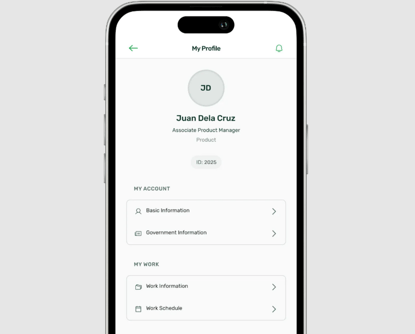
Now, let’s explore what each section contains and how to find the information you need.
My Account
This section contains your Basic Information and Government Information.
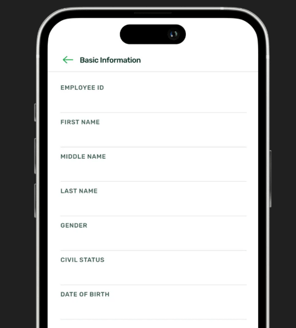
Basic Information
Displays personal details such as:
- Employee ID
- First, Middle, and Last Name
- Gender
- Civil Status
- Date of Birth
Government Information
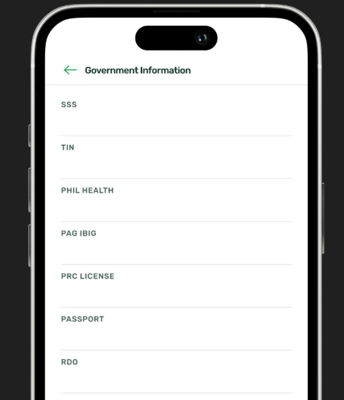
Lists your registered government IDs:
- SSS
- TIN
- PhilHealth
- Pag-IBIG
- PRC License
- Passport
- RDO
My Work
This section contains your Work Information and Work Schedule.
Work Information
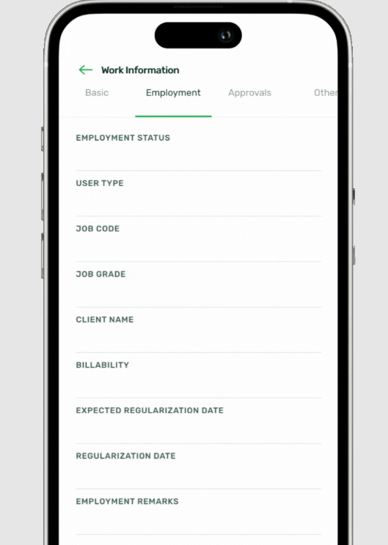
Organized into the following categories:
- Basic – Company, Department, Job Title, Employee Type, Immediate Supervisor, Designated Workplace
- Employment – Employment Status, User Type, Job Code, Job Grade, Client Name, Billability, Expected Regularization Date, Regularization Date, Employment Remarks
- Approvals – Currently unavailable in Sprout Mobile. To view your request approvers, please log in to Sprout HR Web.
- Other – Biometric ID, Payroll Run Type
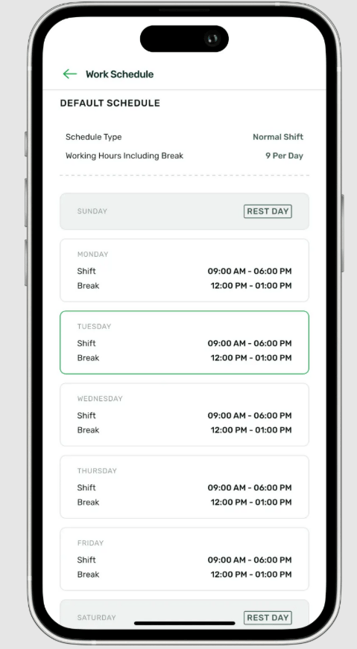
Work Schedule
Shows your assigned schedule details:
- Schedule Type (e.g., Fixed, Flexible, Exempted)
- Total Working Hours (including breaks, e.g., 9 hours)
- Weekly Schedule View – displays your workdays and rest days (e.g., Mon–Fri workdays, Sat–Sun rest days)
Quick Reference Table
| Section | Sub-Section | Fields / Details |
|---|---|---|
| My Account | Basic Information | Employee ID, First Name, Middle Name, Last Name, Gender, Civil Status, Date of Birth |
| Government Information | SSS, TIN, PhilHealth, Pag-IBIG, PRC License, Passport, RDO | |
| My Work | Work Information – Basic | Company, Department, Job Title, Employee Type, Immediate Supervisor, Designated Workplace |
| Work Information – Employment | Employment Status, User Type, Job Code, Job Grade, Client Name, Billability, Expected Regularization Date, Regularization Date, Employment Remarks | |
| Work Information – Approvals | Request Approvers | |
| Work Information – Other | Biometric ID, Payroll Run Type | |
| Work Schedule | Schedule Type (e.g., Fixed, Flexible, Exempted), Total Working Hours (including breaks), Weekly Schedule View (workdays/rest days) |
These details are also available in Sprout HR under your Employee 201 Profile.
Want real-time responses? Explore Sprout Info, your 24/7 guide for product inquiries!