
Overview
The Attendance Report provides a summary of employees' attendance records, including worked hours, absences, undertime, overtime, and applicable attendance premiums.
If you are unable to view the Attendance Report, your account may not have the necessary permissions to access it.
How to Enable Attendance Report Access
Only an Admin who has access to ‘Access Levels’ under Maintenance can grant access to the Attendance Report module.
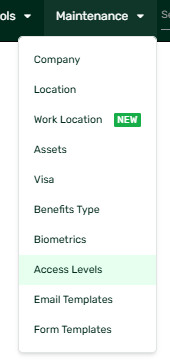
- Go to Maintenance.
- Click Access Levels.
- Select the user whose access you want to update.
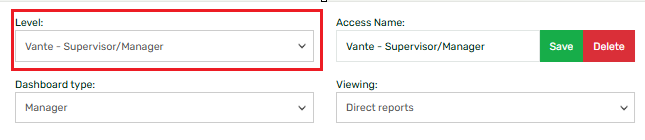
- Open the Navigation Access tab.

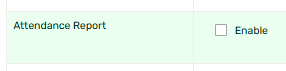
- Scroll down to the Attendance Report section.
- Tick the Enable checkbox.
- Click Save.
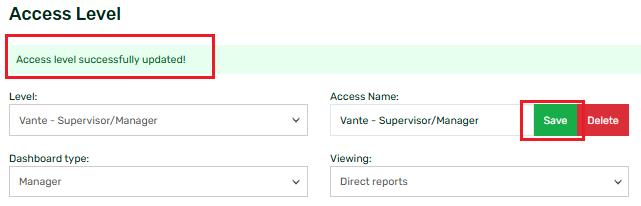
Once saved, the user should be able to access the Attendance Report from the Administration Tools dropdown.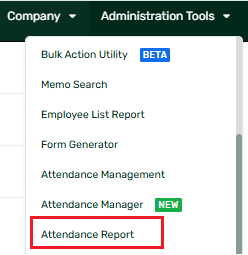
Note: Users can only view the employees based on the Employee viewing access assigned to their Access Level. To know more, you may also check this article: What Is Employee Viewing? (Access Levels).
For more information about the report and its available fields, refer to the Attendance Report section in the Sprout HR User Guide.
Want real-time responses? Explore Sidekick, your 24/7 guide for product inquiries!