
With the implementation of the TRAIN Law, tax status no longer affects tax computation. As a result, the Tax Status field has been removed from selections within Sprout HR.
To avoid confusion among employees, we recommend updating your payslip template by removing the Tax Status field.
Follow the steps below to remove the Tax Status field:
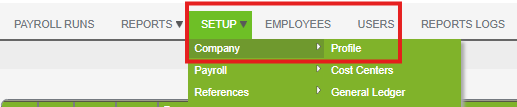
- Go to Payroll Set up > Company > Profile
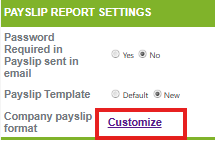
- Under Payslip Report Settings > Company Payslip Format, click Customize
- Under Customize Payslip > Delete “Tax status.”
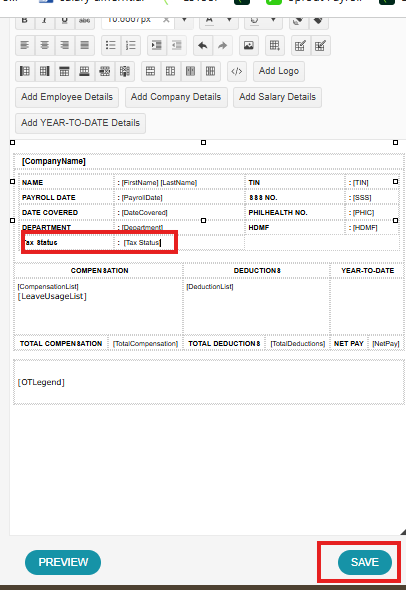
- Then save the changes made.
Important notes:
- Removing the Tax Status field will not affect payroll computations.
- This update only impacts the payslip display.
- Ensure to review the payslip preview before finalizing changes.
Want real-time responses? Explore Sidekick, your 24/7 guide for product inquiries!