
Overview
If an employee is tagged as ROHQ (Regional Operating Headquarters), the system computes withholding tax using a fixed 15% tax rate on the employee's taxable income. Incorrect ROHQ tagging may result in unexpected tax deductions during payroll processing.
This article applies to cases where an employee's ROHQ classification was mistakenly assigned, resulting in an incorrect withholding tax computation.
How to Check and Update ROHQ Tagging- Go to Sprout HR.
- Open the employee's profile.
- Navigate to Current Payroll Information.
- Locate the ROHQ field.
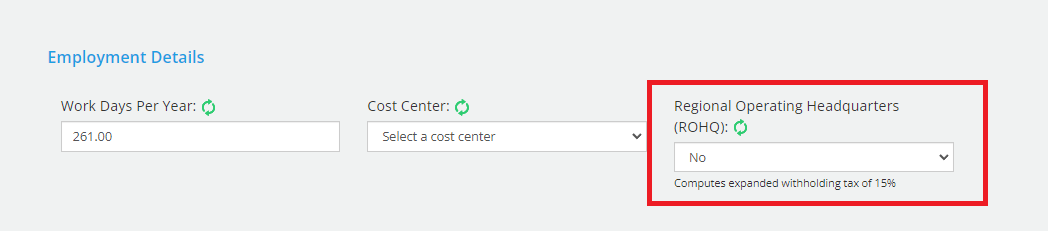
- Change the value to No if the employee should not be classified as ROHQ.
-
Save the changes.
Recompute the Payroll
After correcting the ROHQ tagging:
- If the payroll has not been paid yet:
- Unpost the payroll run.
- Reprocess the payroll to recalculate the employee's tax correctly.
- If the payroll has already been paid:
- The excess tax will automatically be refunded during the year-end annualization process, or
- You may manually refund the amount by uploading a Withholding Tax One-Time Adjustment for the affected employee/s on the next payroll runs.
Additional Reference
For manual tax refunds, refer to: How to Set Up a One-Time Adjustment for a Specific Employee.
Want real-time responses? Explore Sidekick, your 24/7 guide for product inquiries!