
Each JazzHR Job has a Job Status that reflects where you're at in the hiring process for the position.
To stay organized, be sure to understand how to:
- Choose the Right Job Status
- Update Your Job Status
- Manage Active Jobs
Choose the Right Job Status
Select from six different options—Open, On Hold, Drafting, Filled, Cancelled and Closed—to best represent where each position stands. Note that any status other than "OPEN" is considered an "inactive" status, thus your job will not display on our partner job board sites.
- Open- The job is accepting applications and potentially syndicated to our free job boards.
- Drafting- The job is unfinished and in an editing stage.
- Closed- The job is inactive.
- On Hold- The job is on hold for a reason the recruitment team deems necessary.
- Cancelled- The job went through the job approval stages and was cancelled for one reason or another.
- Filled- A candidate was hired for this role.
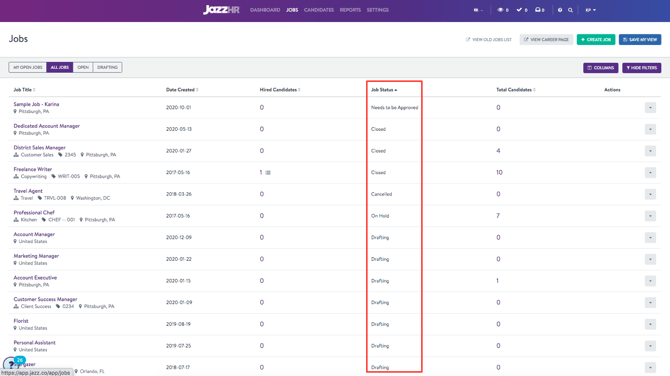
Job Status can be found in two locations. First, it shows on the Jobs page under the "Status" column:
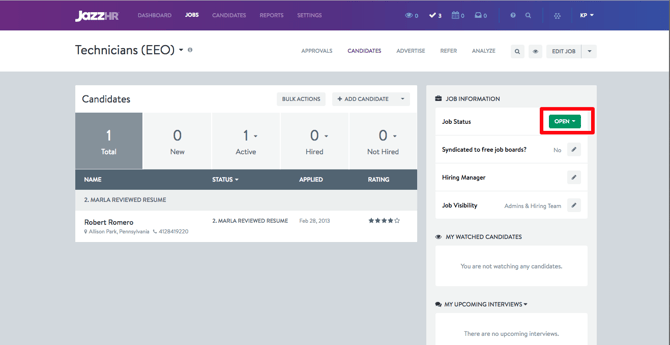
It can also be found in the upper right-hand corner on each individual Job page:
Update Your Job Status
Keep your job statuses up-to-date so you can to stay organized and ready to engage with top candidates fast.
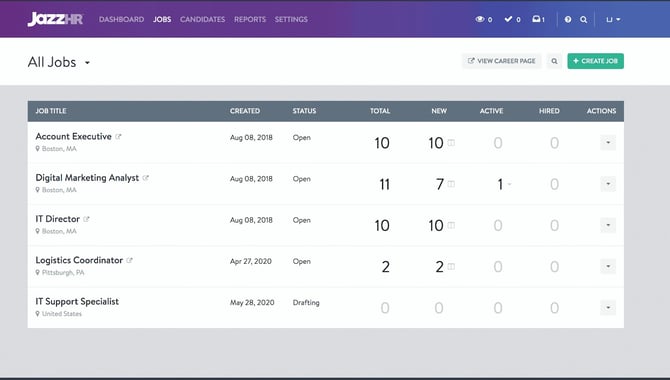
To update your job's status, click on the Job Status dropdown from the job page and select the updated status from the list of option.
Manage Active Jobs
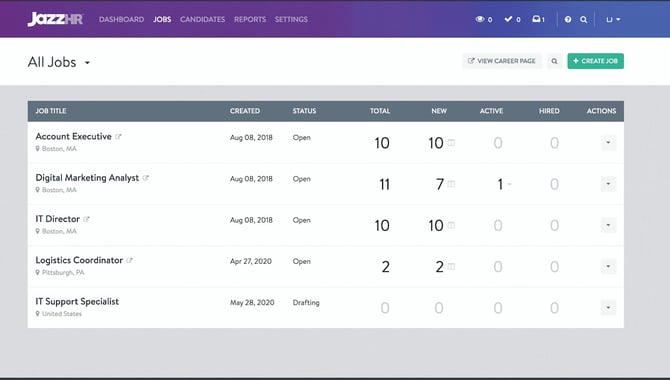
Active Jobs are any jobs in an "Open" status. Make sure your job is moved to "Open" when you're ready to begin accepting candidates for the position. To change the job's status to "Open," click into the job title and select "Open" from the "Job Status" drop-down.
When you have completed hiring for the position, it is important that you change your Job Status to "Closed" or "Filled". Be careful not to duplicate your job postings. A job posting with the same title and location as another is considered a duplicate. Duplicate job postings interfere with job board visibility as well as posting limits.
Hero Plan Active Jobs
Plus and Pro customers can have any number of jobs in an Open status at one time, but customers with standard Hero subscriptions may only have three active jobs. Note, Hero customers can create unlimited jobs in their accounts, but simply can only have three in "Open" status at any one time.
Adding Additional Active Jobs on Hero Plan
Hero customers have the ability to purchase additional active jobs for an incremental fee. You can make this purchase from within your JazzHR from the Account Information area.
Subtracting Active Jobs on Hero Plan
To reduce your number of Active jobs on the Hero Plan, mark your extra jobs as "Closed," "Filled," "Cancelled" or "On Hold." Then, update the billing/subscription details in your account. This information is found by clicking on your initials>Account Information.
Want real-time responses? Explore Sidekick, your 24/7 guide for product inquiries!