
If you are part of a multi-level approval hierarchy (for example, Level 2 or Level 3 approver) and notice that employee applications disappear after you approve them, this is usually due to the default behavior of the Manager Dashboard. (What Are the Different Dashboard Types?)
Why does this happen?
In Sprout HR, visibility in the Approval Center is governed by your assigned Dashboard Type and your direct reporting structure:
- Pending Tab: Displays pending applications from both direct and indirect reports whenever an application reaches your level in the approval hierarchy and requires your action for approval.
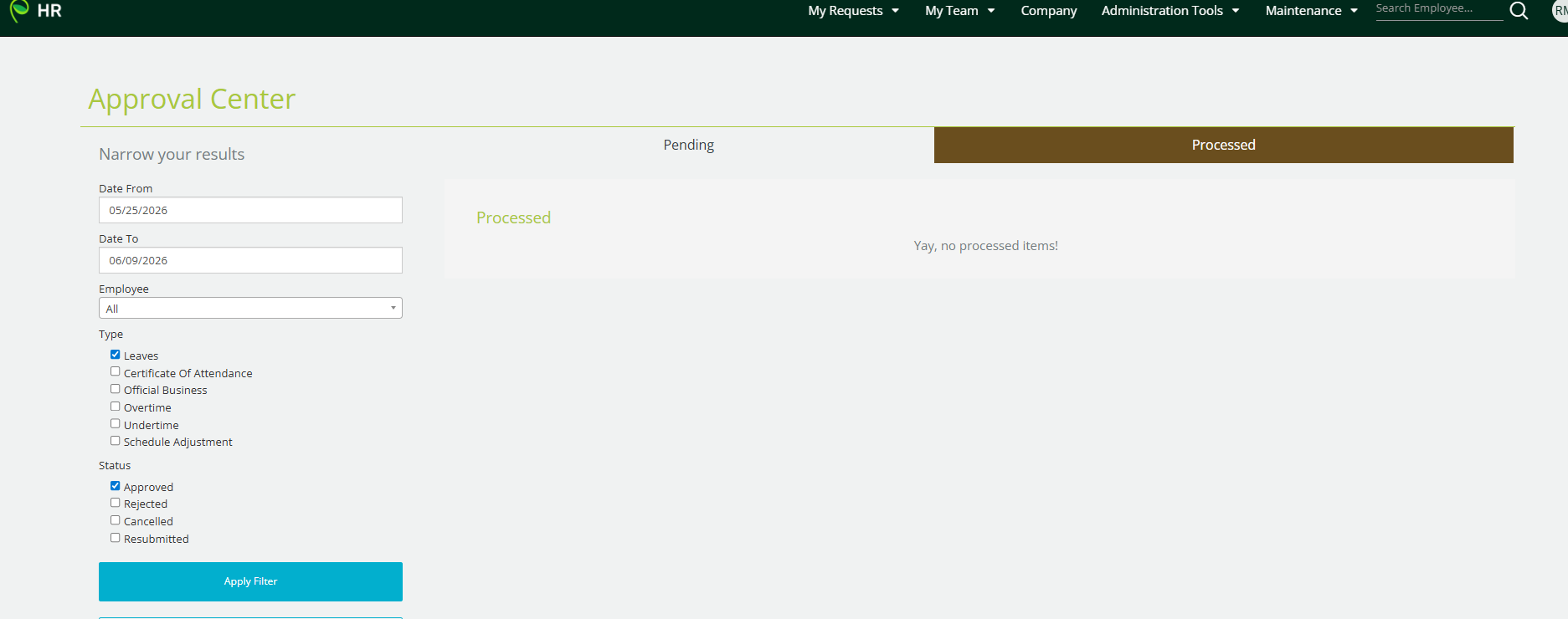
- Processed Tab: Displays completed or approved applications strictly for your direct reports only.
Understanding Multi-Level Approvals
When you serve as a higher-level approver (e.g., Level 2 Final Approver) for an indirect report (an employee who reports to a supervisor under you rather than directly to you):
- The application will appear in your Pending tab once the Level 1 supervisor approves it.
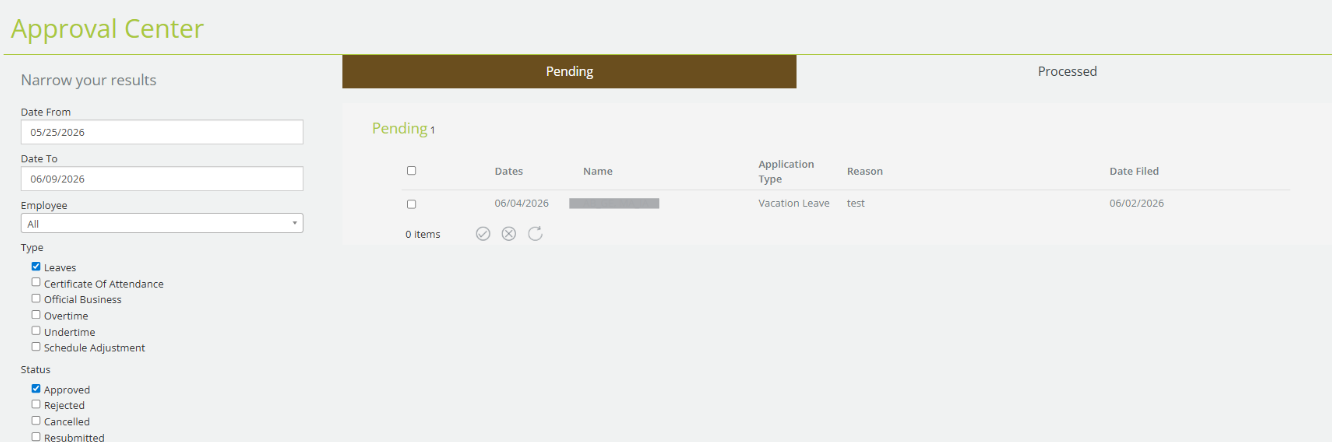
- Once you review and approve the request, the approval workflow is completed.
- Because the employee is an indirect report, the application moves off your active dashboard and will not appear in your Processed tab.
How to Resolve or Address This
Depending on your organization's security and visibility needs, here are the available solutions:
Option 1: Understand Access Levels (Manager vs. Admin)
- Manager Dashboard (Default): Retains processed request history only for direct reports to ensure data confidentiality across departments.
- Admin Dashboard: Allows complete visibility over all processed and historical requests company-wide.
⚠️ Important Security Note: Upgrading a user's access to an Admin Dashboard gives them full administrative visibility over all employee filings across the entire organization, not just their department. This access level is generally reserved for HR and System Administrators.
You may also check this detailed article: Understanding Approval Center and Resolution Center Page Views: Manager vs. Admin Dashboard
Option 2: Alternative Ways to Track Requests
If upgrading to Admin access is not suitable due to company data privacy policies:
- Direct Supervisors: Check with the employee's direct supervisor (Level 1 Approver), as the request will remain archived under their Processed tab.
- Admin Users: Users with Admin Dashboards can generate filing summary reports or attendance reports directly from Sprout HR to provide full historical logs whenever needed.
Want real-time responses? Explore Sidekick, your 24/7 guide for product inquiries!