
Issue
Some recurring adjustments may not immediately appear in newly created payroll runs. This issue is currently under investigation by the appropriate team.
Workaround
If recurring adjustments are missing after payroll creation, perform a payroll refresh. In some cases, an additional refresh may be required for all recurring adjustments to be properly synchronized and reflected in the payroll run.
While the investigation is ongoing, users are encouraged to:
- Review payroll adjustments before finalizing payroll runs. You can export the adjustment and count the number of expected adjustments in the Payroll run. You can also filter the Is recurring, Yes = recurring adjustment No = one time adjustment
- Request the enabling of "auto refresh feature" via Change request.The purpose of performing a second or additional refresh is to help ensure that all recurring adjustments are properly synchronized and reflected in the payroll run. We will inform you once the feature has been enabled.
How to Verify Recurring Adjustments
Additional refreshes will not create duplicate adjustments. The refresh simply re-syncs payroll data that may not have been fully loaded during the initial payroll creation.
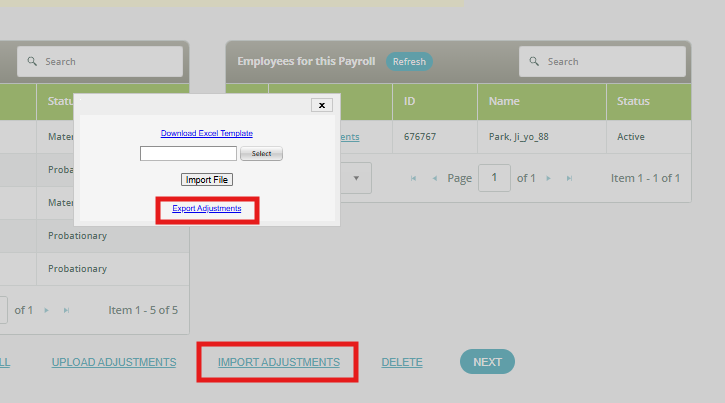
1. You may export the payroll adjustments report and use the "Is Recurring" filter:
Yes – Recurring adjustments
No – One-time adjustments
2. Confirm that all expected recurring adjustments are included in the payroll run. 
Status
The issue remains under investigation. Our team is continuously monitoring affected payroll runs and working on a permanent resolution.
If you identify missing recurring adjustments, please report them for further review.
Want real-time responses? Explore Sidekick, your 24/7 guide for product inquiries!