
Frequently Asked Questions
What can I ask the Attendance agent about my overtime?
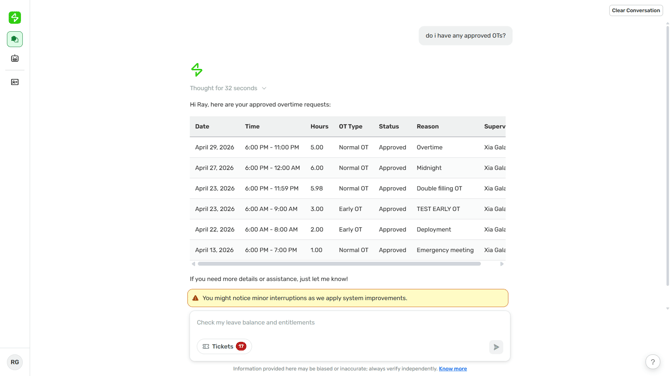
You can pull up your overtime applications by date or date range — including the date, OT type, hours, and current status. Coverage spans paid OT (Early OT, Normal OT) and Compensatory Time Off filings (Early CTO, Normal CTO, Restday/Holiday CTO).
How do I check my OT?
Just ask in chat — for example, "What are my OT dates for January?" or "Did I have overtime on March 10?" The agent supports the same date-range expressions as other Attendance agent queries: single date, week, month, pay period, or a custom range.
What OT statuses can I see?
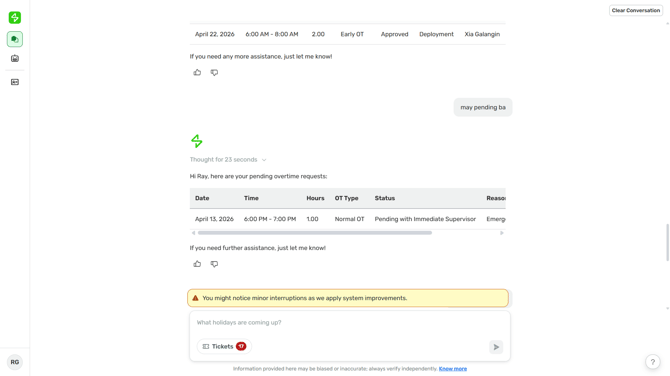
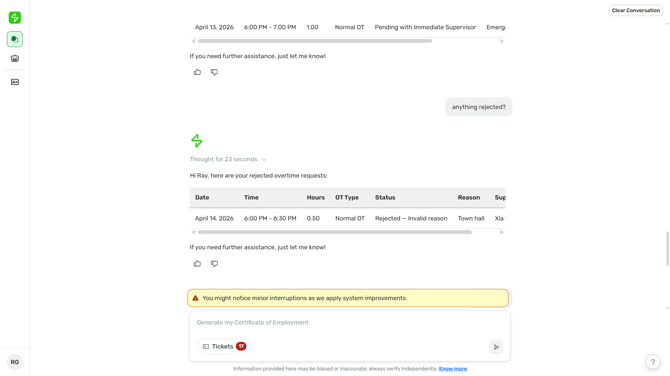
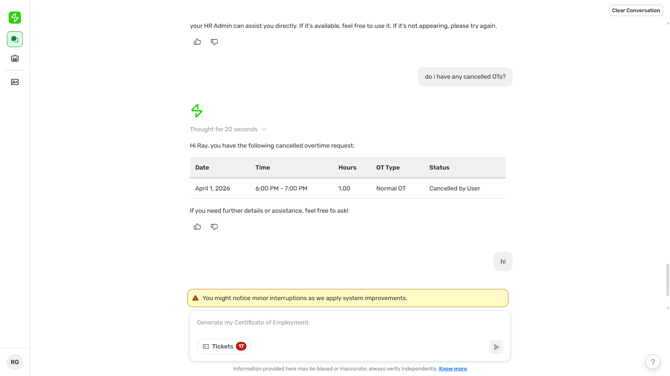
All four — Pending, Approved, Rejected, and Cancelled. Each application is reported with its actual status, so a pending or rejected filing won't show up as approved. Results are sorted from latest to earliest, matching how COA queries are returned.
Are CTO (Compensatory Time Off) applications included?
Yes. CTO applications are filed through the same module as paid OT, so they appear alongside paid OT in your results, with the CTO type clearly marked so you can tell paid OT apart from leave-credit conversions.
What's the difference between an OT application and OT pay?
OT applications are the records of overtime you've filed — dates, types, hours, and approval status. OT pay is the peso amount that lands on your payslip after approved OT is computed by Payroll. The Attendance agent handles OT application records; for OT pay amounts, ask the Payslip agent.
What if I ask about my OT without specifying a date?
The agent will check back on the timeframe you want before pulling results, so you can narrow it down to a specific month, pay period, or date range.
Are future-dated OT applications included?
Yes. If you've filed an OT application for an upcoming date and it's still in Pending status, it will appear in your results when the queried period covers that date.
Can I file, approve, or cancel an OT application through Sidekick?
Not at this time. OT filing, approval, and cancellation still happen in Sprout HR's My Requests module. The Attendance agent retrieves and reports your OT applications, but doesn't file, approve, reject, or cancel them.
Can my manager check my team's overtime through Sidekick?
Not at this time. The Attendance agent only retrieves OT applications for the requesting employee. Managers can still check their own filed OT applications, since they're the requesting employee in that case.
Want real-time responses? Explore Sidekick, your 24/7 guide for product inquiries!