
Concern
An error may occur during payroll adjustment runs with the message: "We cannot get the is Prorated error”
This usually happens when the employee has a very high Basic Salary, causing the system to encounter an issue while computing the PhilHealth (PHIC) contribution.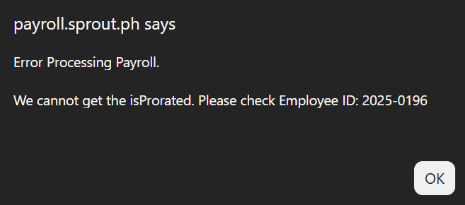
Why It Happens
The system calculates the PHIC basis using the following formula:
(Basic Salary × 261 company working days) ÷ 12 months
If the computed amount exceeds 999,999, the adjustment run may fail and display the error message above.
Recommended Workaround
Instead of allowing the system to automatically calculate the PhilHealth contribution, manually set a fixed PHIC contribution amount for the affected employee.
Steps:
- Go to Sprout HR.
- Open the employee's Profile.
- Navigate to Current Payroll Information.
- Locate PhilHealth Contribution.
- Select Set Contribution Amount and enter the appropriate contribution value.
- Save the changes.
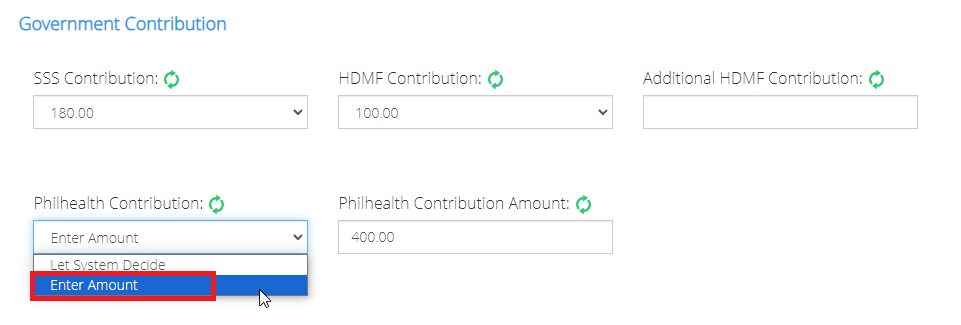
Once the fixed PhilHealth contribution has been configured, you may proceed with re-processing the payroll run.
Want real-time responses? Explore Sidekick, your 24/7 guide for product inquiries!