
Multi-Factor Authentication (MFA) is an added security measure that requires users to complete two forms of verification before accessing the system.
In Payroll, MFA helps ensure that only authorized users can access sensitive payroll and employee information, providing an additional layer of protection against unauthorized access.
For the complete MFA guide, refer to: : Multi-Factor Authentication (MFA)
For instructions on editing access roles, refer to RBAC: Editing an Existing Role
Important Notes:
- MFA settings can only be configured for applicable access roles.
- The Super Admin role cannot be modified directly.
- To enable MFA for the Super Admin role, a Change Request Form must be submitted.
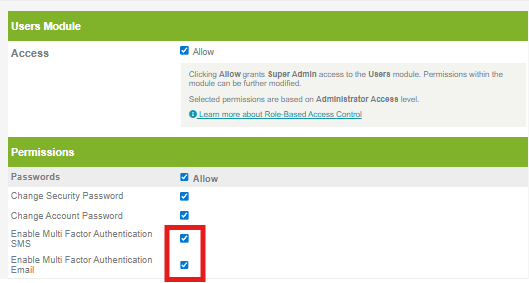
- Once enabled, here’s how the set up looks like:
Want real-time responses? Explore Sidekick, your 24/7 guide for product inquiries!