
The Record Agent allows you to manage and store records efficiently within the platform. If you are unable to see Records under the added tab, this is usually due to inactive free credits.
Why can’t I see Records in the Added tab?
If Records are not visible, you need to activate your free credits first.
- Each company is automatically given 300 free credits per month
- Credits are allocated per company
- Example: If your account (e.g., client.hrhub.ph) has two companies, each company receives 300 credits
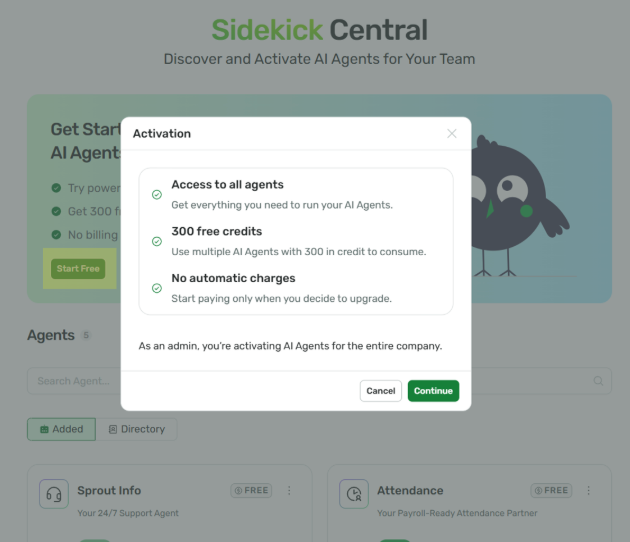
How to Activate Free Credits
- Click Start Free on the banner or an agent to activate paid agents for your company. This is not a pre-requisite for users to start using other agents.
- Click Continue
Want real-time responses? Explore Sprout Info, your 24/7 guide for product inquiries!