
Frequently Asked Questions
General
How do Sidekick credits work?
Every company gets a monthly allowance of Sidekick credits, sized to its headcount and included at no additional cost. Credits cover everything Sidekick does, except questions about Sprout products, which never use credits.
Admins can see their company's usage at any time and are notified before credits run out. Nothing is ever charged automatically.
Is Sidekick part of my Sprout package?Yes! Sidekick is part of Sprout HR. Every company gets credits included at no additional cost, and you only pay if you choose a plan with more credits.
How can we predict what Sidekick will cost us?You only pay for the plan you choose, and each plan comes with a set monthly allowance. Nothing is charged automatically, even when your credits run out. Admins can check usage at any time and are notified at 75%, 90%, and 100%, so any change to your plan is always a decision you make ahead of time.
Why does Sidekick use credits?As more teams use Sidekick for more of their work, we keep building more capable features into it. Sizing credits to your company and your plan lets us keep investing in Sidekick as your usage grows.
Where can I read the terms?The terms for credits are in the Sidekick Central Terms and Conditions, under Credits and Billing.
Plans and Credits
What is a credit?
A credit measures how much Sidekick reads and writes to handle a request. Simple requests generally use fewer credits. Requests that need more context, documents, or a longer answer use more.
Is one credit equal to one question or one chat?
No. Every conversation is different, so the credits a request uses depend on how complex it is, how much Sidekick needs to look up, and the answer it gives.
Do greetings like "Hi" or "Thanks" use credits?
Yes. Sidekick answers small talk itself, so a "Hi" or "Thank you" uses about as many credits as a simple check like viewing your attendance. There's no need to change how you talk to Sidekick.
Does the language we chat in affect credits?
No. Asking in Tagalog, Taglish, or English uses about the same credits, so chat in whatever language you're most comfortable with.
What doesn't use credits?
- Questions about Sprout products, answered by Sprout Info, never use credits on any plan.
- Testing Concierge in the Playground doesn't use credits.
- Responses that fail don't use credits. You don't pay for an answer you didn't receive.
- Submitting a ticket or call request doesn't use credits, whether it's a ticket to your HR, a ticket to Sprout, or a call with Sprout Experts. Asking Sidekick in chat to open the form does, like any other message.
Does chatting with Concierge in its own chat use credits?
Yes. Concierge uses credits whether you ask it in Sidekick or in its own chat on the Agents page. Only testing in the Playground is free.
For company policy questions, asking in Concierge's own chat usually uses fewer credits than asking the same question in Sidekick, since Concierge answers it directly.
What if one answer uses more than one agent?
Sidekick can bring several agents together in a single answer. For example, one question might need how-to steps in Sprout HR, your company's policy, and your own employee records.
Only the parts handled by agents that use credits count against your allowance. The Sprout product part stays free, and so does the work Sidekick does to bring everything together into one answer.
Do we use credits if an answer isn't quite what we needed?
Credits reflect the work Sidekick does to handle a request, so a request handled by an agent that uses credits counts even if you need to ask again. Responses that fail to come back never use credits.
Clear, specific questions usually get the right answer the first time, which helps your credits go further. For tips, see the Admin prompting guide and the Employee prompting guide.
What plans are available?
Every company starts on the Free plan, with credits included at no additional cost.
For more credits, paid plans are available. They differ only in how many credits they include. Every Sidekick feature is the same on every plan, including the Free plan. Contact your Sprout representative for details.
How many credits does my company get?
It depends on your headcount and your plan. Your credits are based on your headcount in Sprout HR, so the number may differ slightly from your own count. Admins can see the exact figure in the credit counter. For a paid plan's figure, your Sprout representative can work it out from your headcount.
Does my allowance change when my headcount changes?
- Free plan: yes. Your credits adjust automatically, up or down, as your headcount in Sprout HR changes. Changes to your headcount can take up to a day to show in your credits.
- Paid plans: no. Your allowance is set when you choose the plan and doesn't change automatically with headcount. To change it, contact your Sprout representative.
Are credits assigned per employee?
No. Credits are shared across your whole company and never assigned to individual employees. If your account has more than one company, each company gets its own credits.
Can we move credits between our companies?
No. Each company's credits are sized to its own headcount and can't be shared with or moved to another company.
Do I have to use up my credits before moving to a paid plan?
No. You can stay on the Free plan if it covers your needs, or move to a paid plan at any time.
Do unused credits roll over?
No. Your credits refresh on the first of each month, and unused credits don't carry over.
Usage and Notifications
How do I check how many credits we've used?
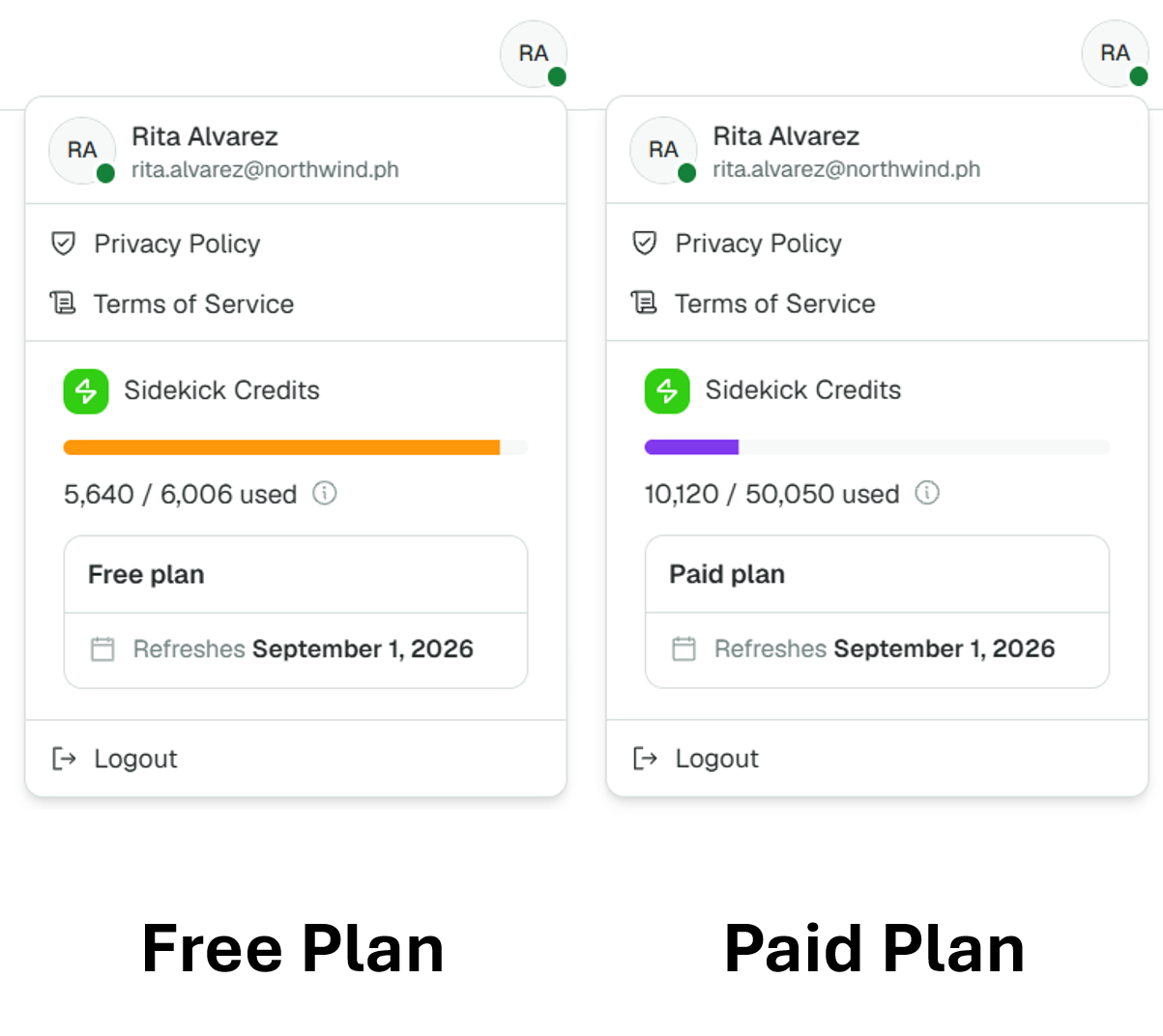
Admins can click their user avatar in the upper right corner and look under Sidekick Credits. It shows the credits used out of your allowance, your plan, and the date your credits refresh.
I manage more than one company. Whose credits do I see?
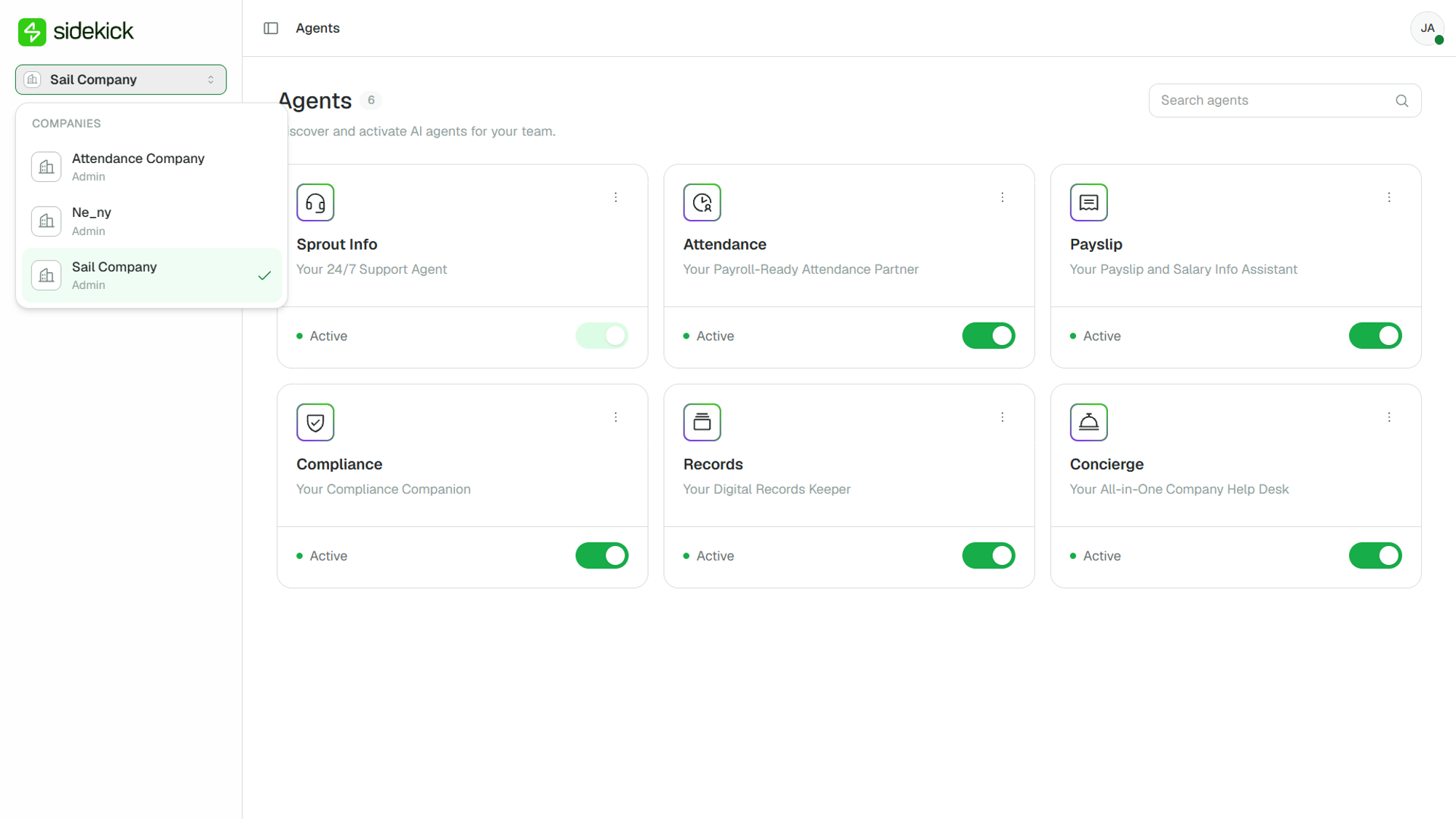
The counter shows the credits of the company you're currently viewing. To check another company, switch companies using the company dropdown in the main navigation.
 Can employees see the company's credits?
No. Only admins can see credit usage, since they manage plan decisions.
Can I see usage per agent?
No. The counter shows company-wide usage for the current month. For past months, contact your Sprout representative.
How will I know when we're running low?
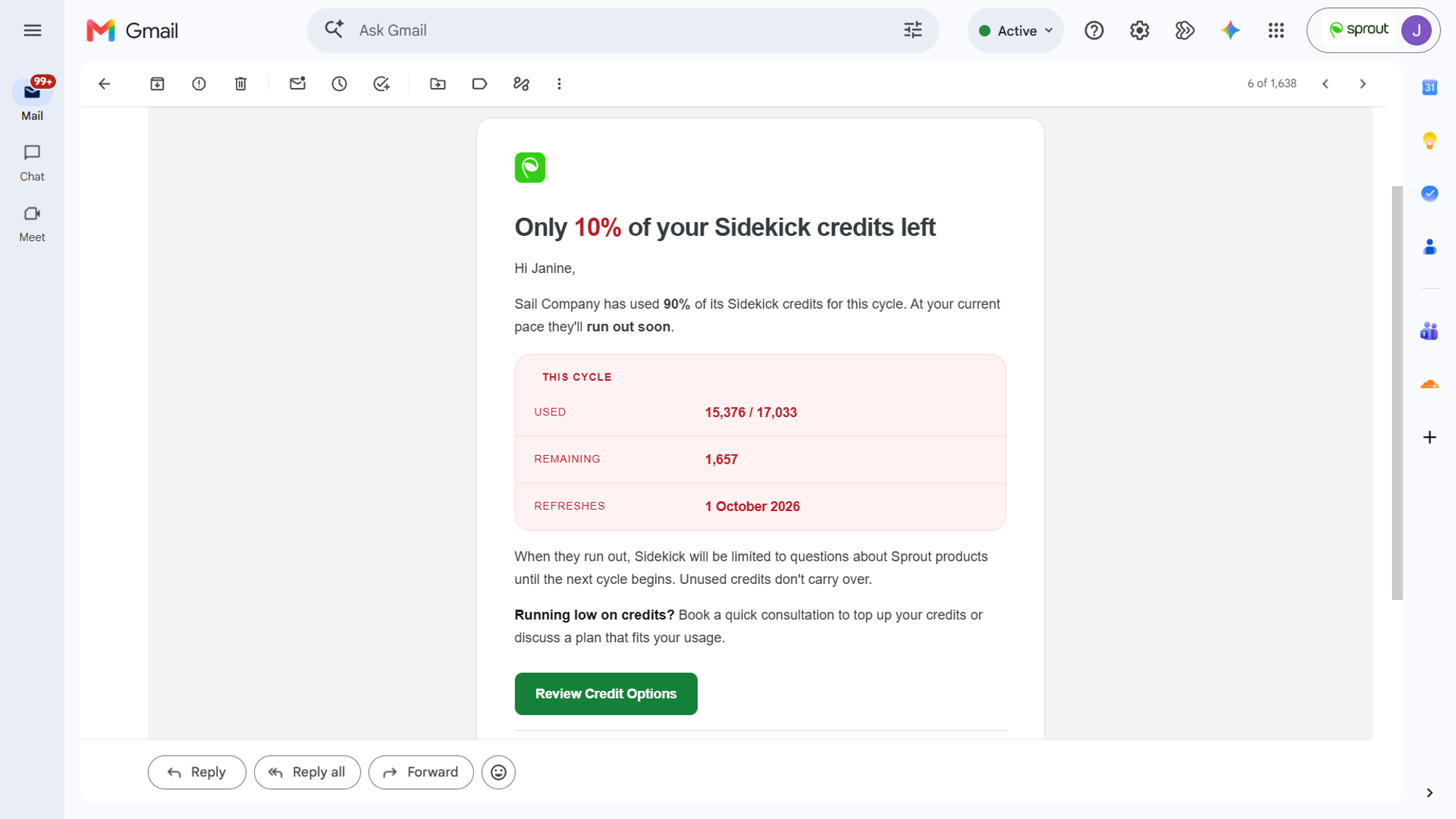
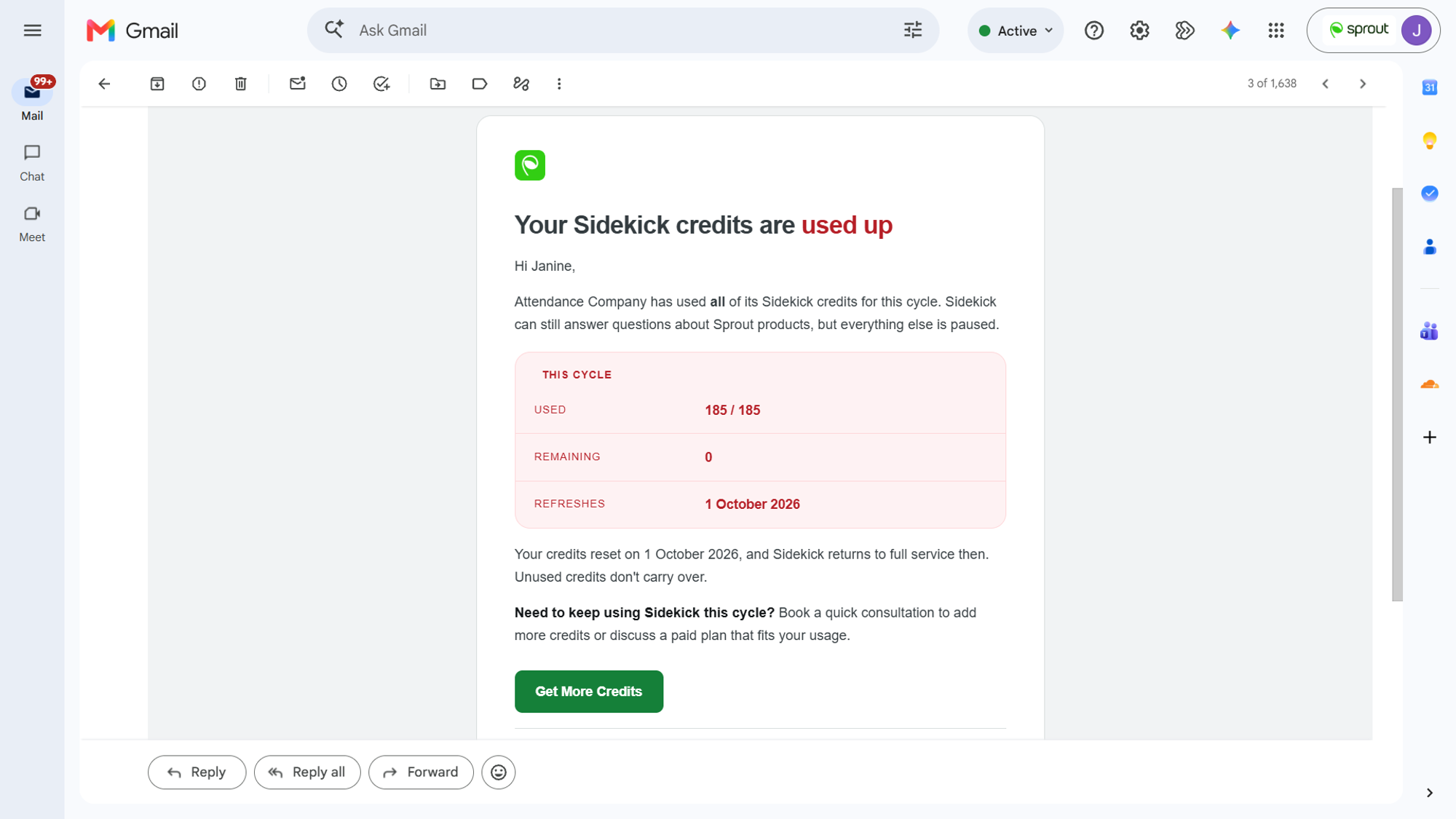
Admins are notified as credits run down:
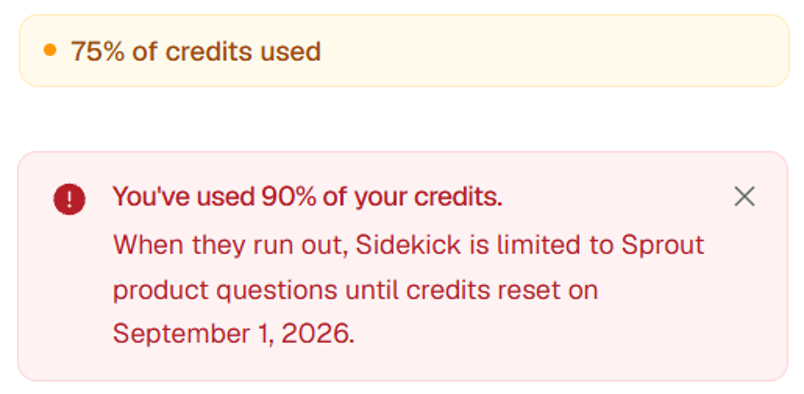
- At 75% and 90% used, a banner appears above the chat box and admins get an email.
- At 100% used, admins get an email that the credits are used up for the month.
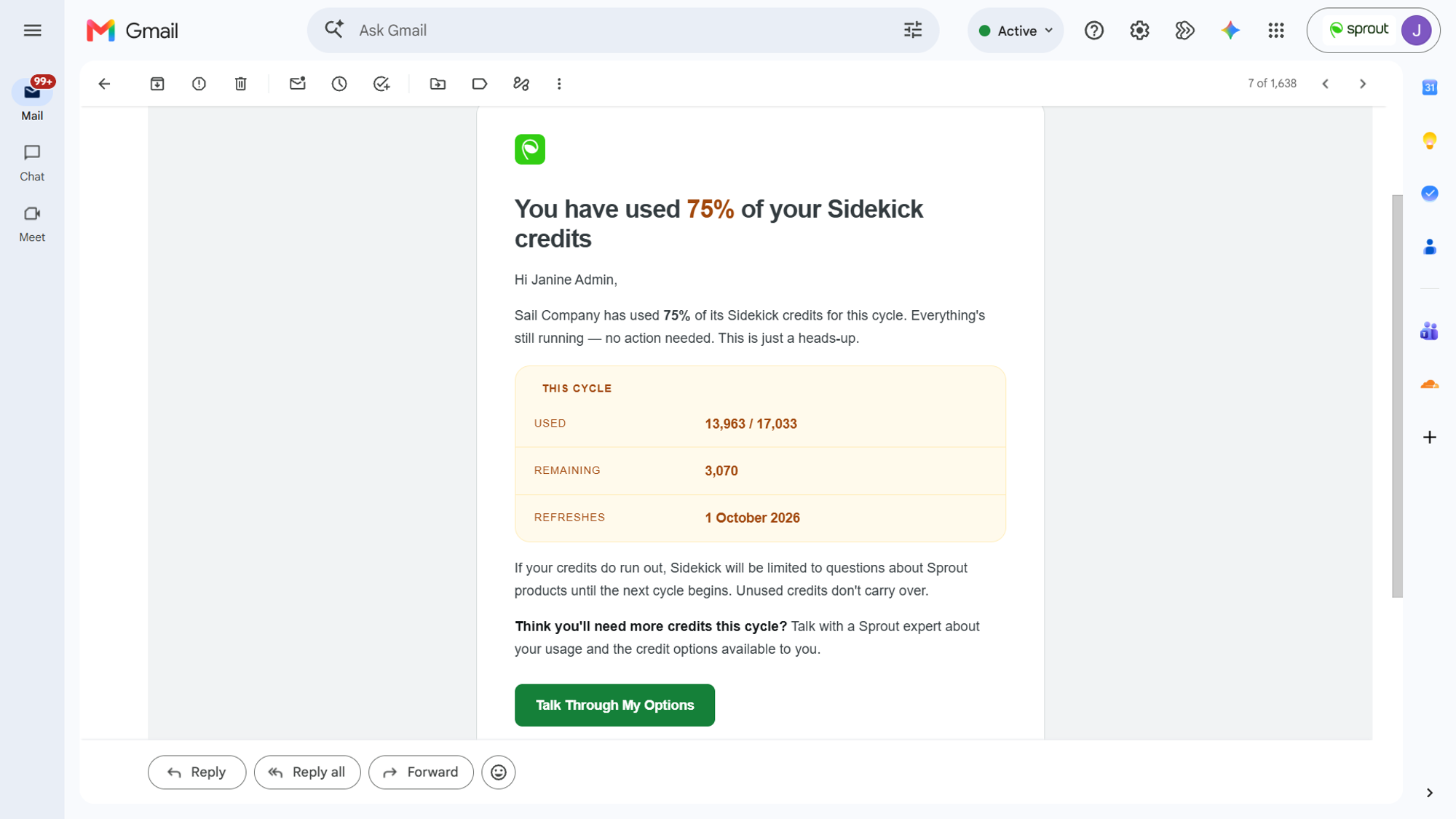
Each email includes a link to book a call with Sprout, so you can review your usage and plan together. Employees never receive these notifications.
Who receives the credit emails?
Every admin in your company receives them.
Can I control how credits are used?
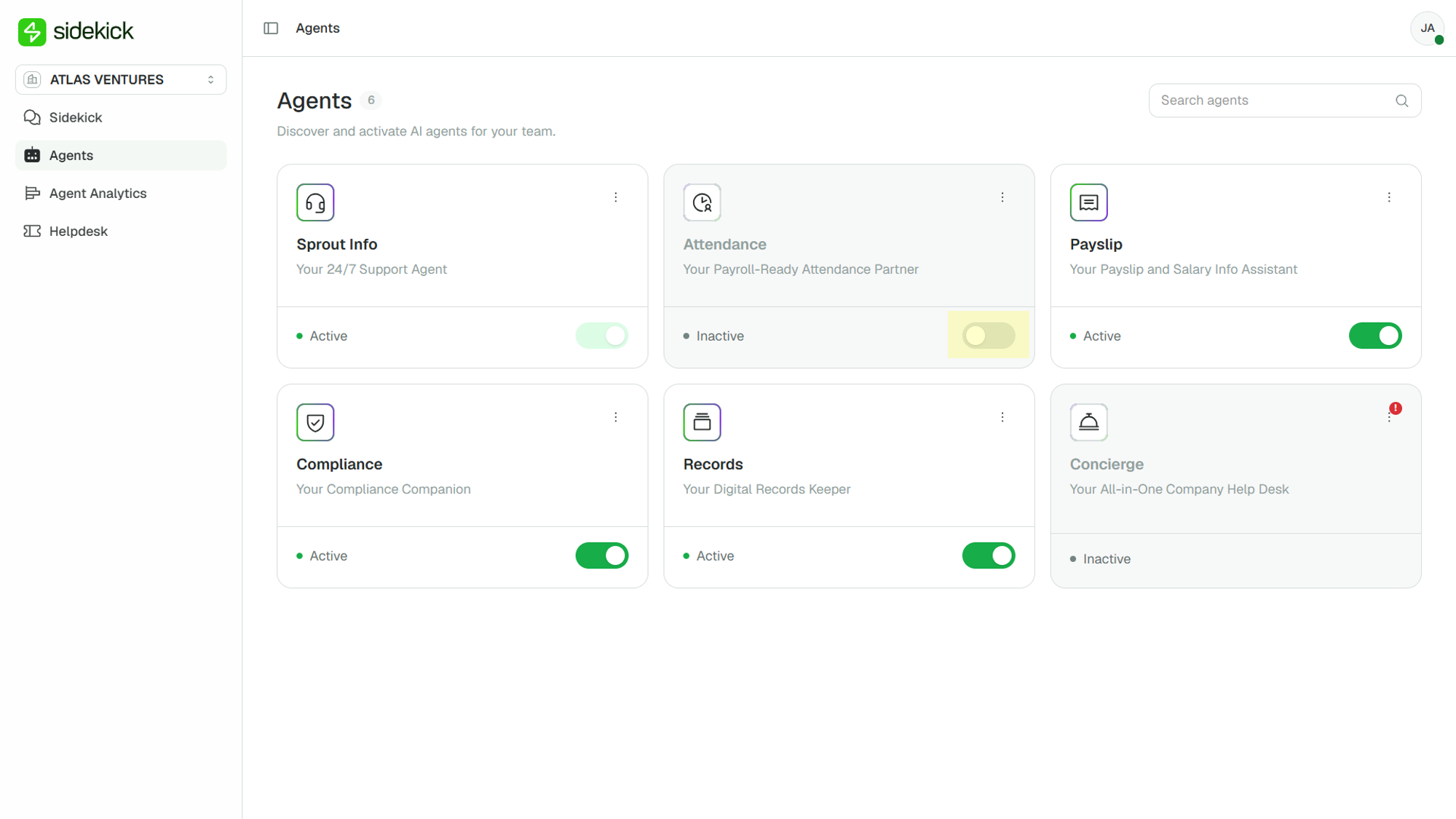
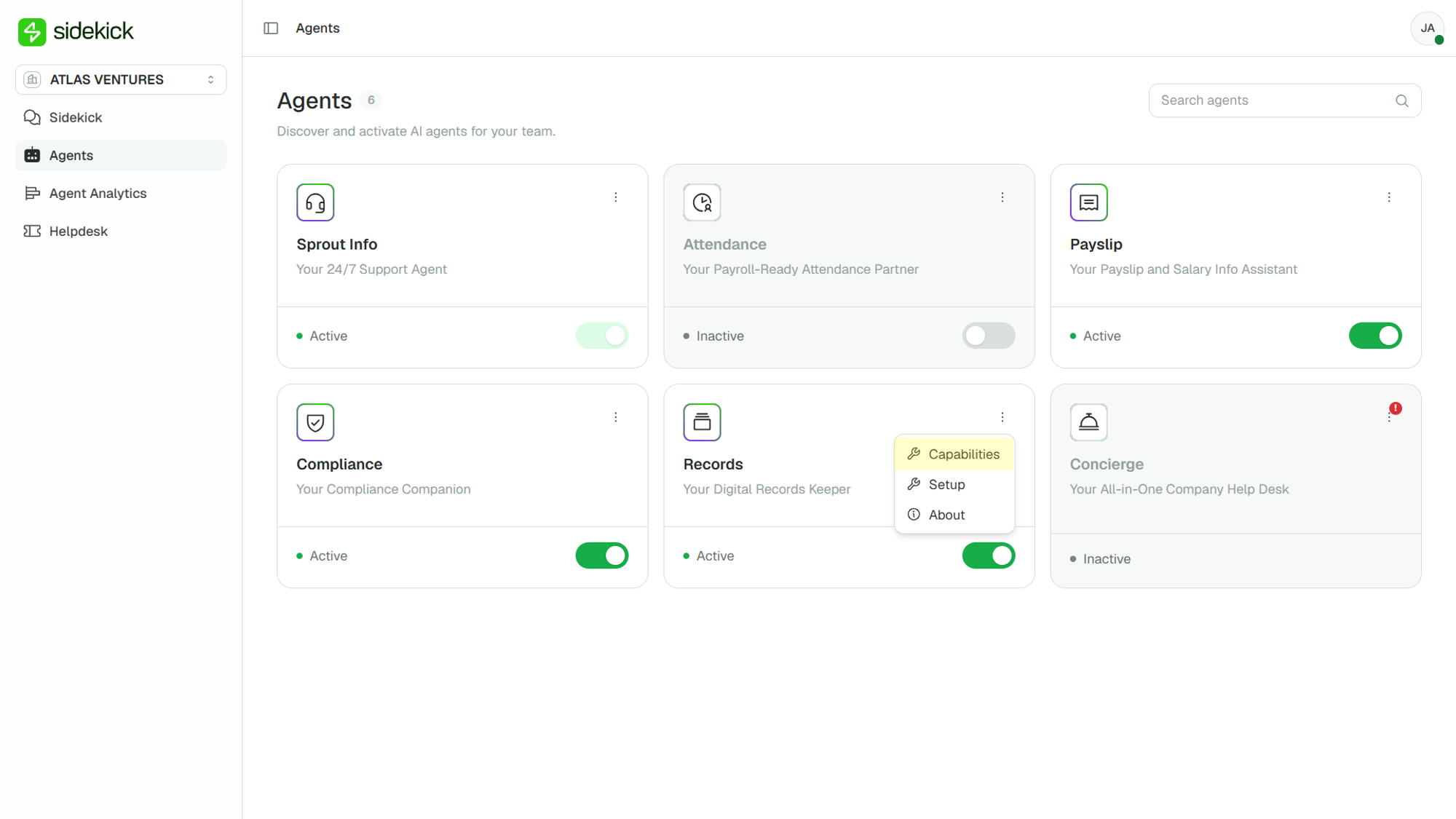
Yes! Admins can turn agents, or specific capabilities within an agent, on or off from the Agents page.
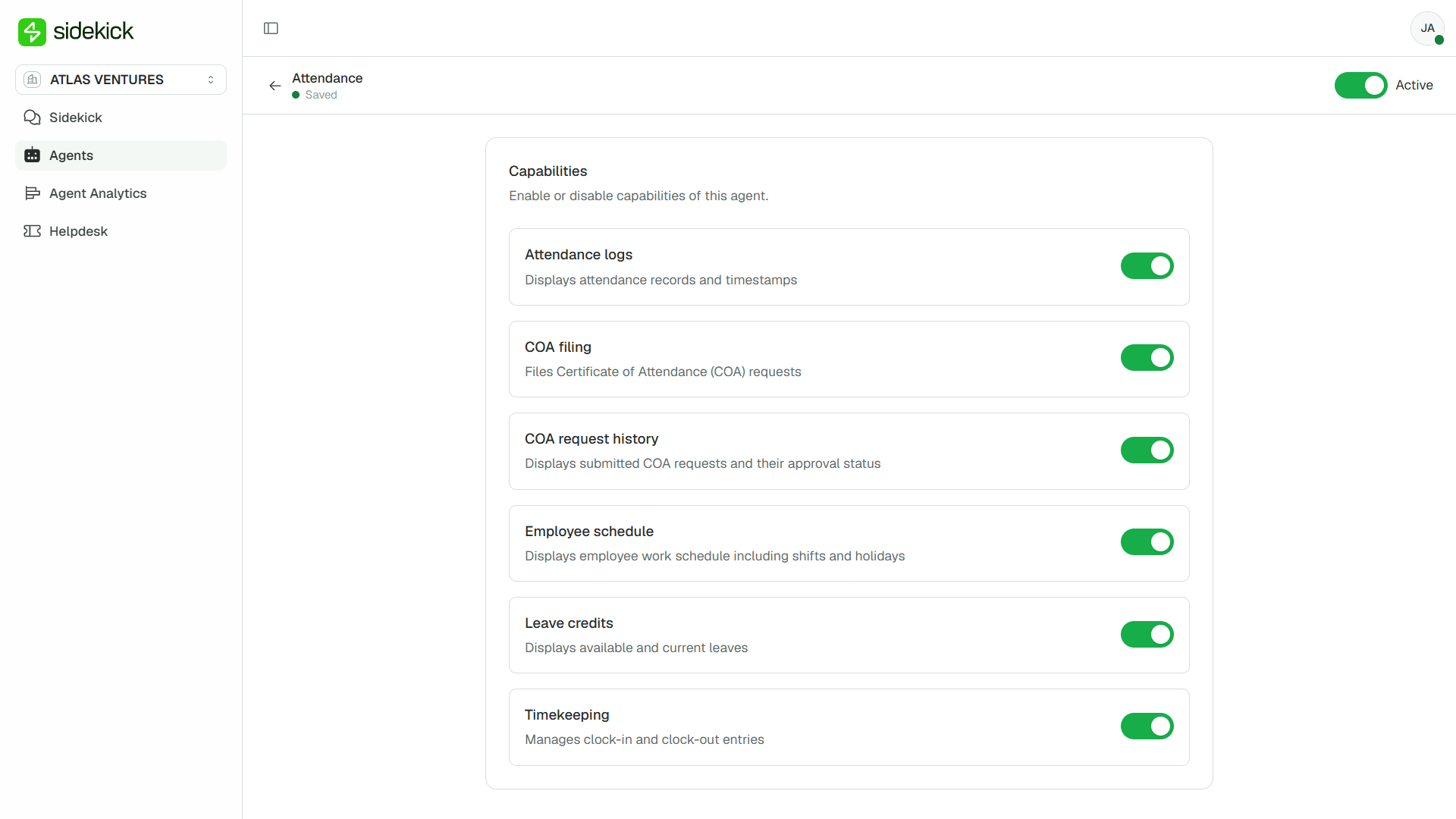
Do questions about agents we've turned off use credits?
No. Sidekick can't use an agent you've turned off, so no credits are used for it. If the question is about a Sprout product, Sprout Info answers it for free.
Reaching Your Limit
What happens when our credits run out?
Sidekick keeps answering questions about Sprout products. The agents that use credits pause for everyone in your company until your credits refresh or more are added.
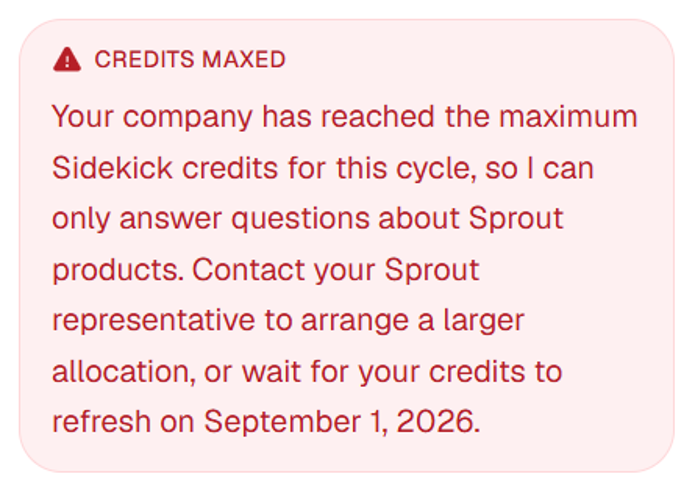
What will my employees see?
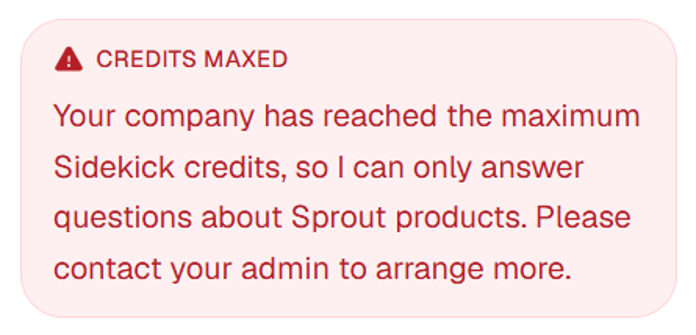
When employees ask something that uses credits, Sidekick tells them the company has reached its credit limit and asks them to contact their admin. They can still file a ticket to HR: the File a ticket to your HR button still appears, and submitting the form doesn't use credits.
Why did Sidekick stop before our counter reached 100%?
Sidekick keeps a small amount of credits in reserve so it can always finish an answer. When your balance drops below that reserve, it pauses just before your counter reaches 100%. This means you never get a half-finished answer.
Will we be charged automatically if we go over?
No. There are no automatic or overage charges. Adding credits is always your decision.
Changing Your Allowance
Do we have to wait until next month to get more credits?
No. Contact your Sprout representative to add credits or move to a larger plan. The change is applied within 24 hours and takes effect right away, with nothing for you to do in the product.
Does adding credits reset our usage?
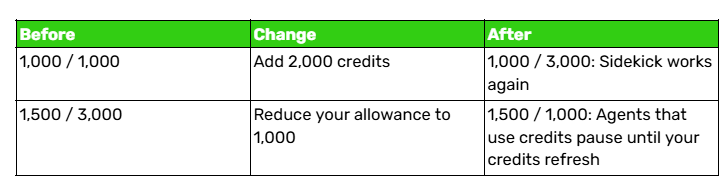
No. Credits you've already used still count against the new total, whether your allowance goes up or down.
Can we reduce our allowance?
Yes. A reduction also takes effect right away, and your usage so far still counts. If the new allowance is lower than what you've already used, the agents that use credits pause until your credits refresh, as in the second example above. Check your usage before lowering it.
Why does our counter show more than our allowance?
This can happen if your allowance is reduced below what you've already used this month (for example, 1,500 / 1,000), or briefly when several requests are handled at the same moment. The counter always shows your actual usage. While usage is at or above your allowance, the agents that use credits pause until your credits refresh or more are added.
Can I buy credits online?
No. Additional credits are arranged through your Sprout representative.
About the Previous Credit Model
When did the current credit model start?
It took effect on October 1, 2026. Every company's first cycle under this model started with zero credits used.
Is the free allowance still 300 credits a month?
No. The flat 300 credits a month were replaced by an allowance sized to your company's headcount, so larger teams get more credits.
Were credits only for Concierge before?
Yes. Credits used to apply only to Concierge. They now cover everything Sidekick does, except questions about Sprout products.
What happened to the excess credits option?
It's no longer available. When your credits run out, the agents that use credits pause rather than charging you for extra usage.
Got a question or need extra help? Sidekick makes it easy — get answers, raise a ticket, or schedule a call with our experts, all in one place.