
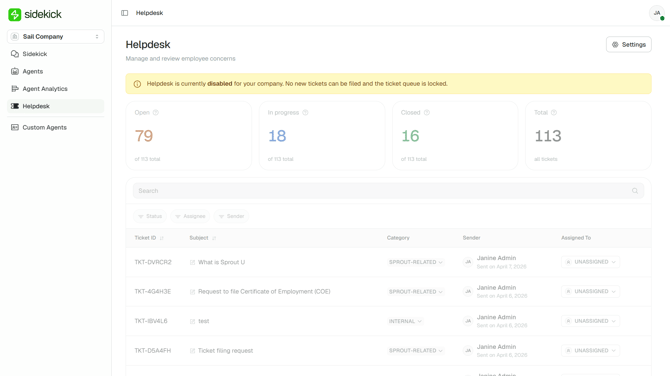
Helpdesk is enabled by default for your organization. You can disable it at any time.
- In Helpdesk, click Settings.
- Under Feature settings, switch the Helpdesk toggle on or off to enable or disable Helpdesk.
Note: When Helpdesk is disabled, the following entry points are hidden from employees:
- Tickets button in the Sidekick chat box
- File a ticket to your HR button
Got a question or need extra help? Sidekick makes it easy — get answers, raise a ticket, or schedule a call with our experts, all in one place.