
Removing agents prohibits users from seeing them in Sidekick Central. All removed agents can be added back again in the Directory tab with the exception of the Sprout Info agent as it is added and enabled by default.
- Click the Added tab.
- Search for the agent that you want to remove.
- Click the kebab icon ( ⁝ ) on the agent’s card.
- Click Remove.
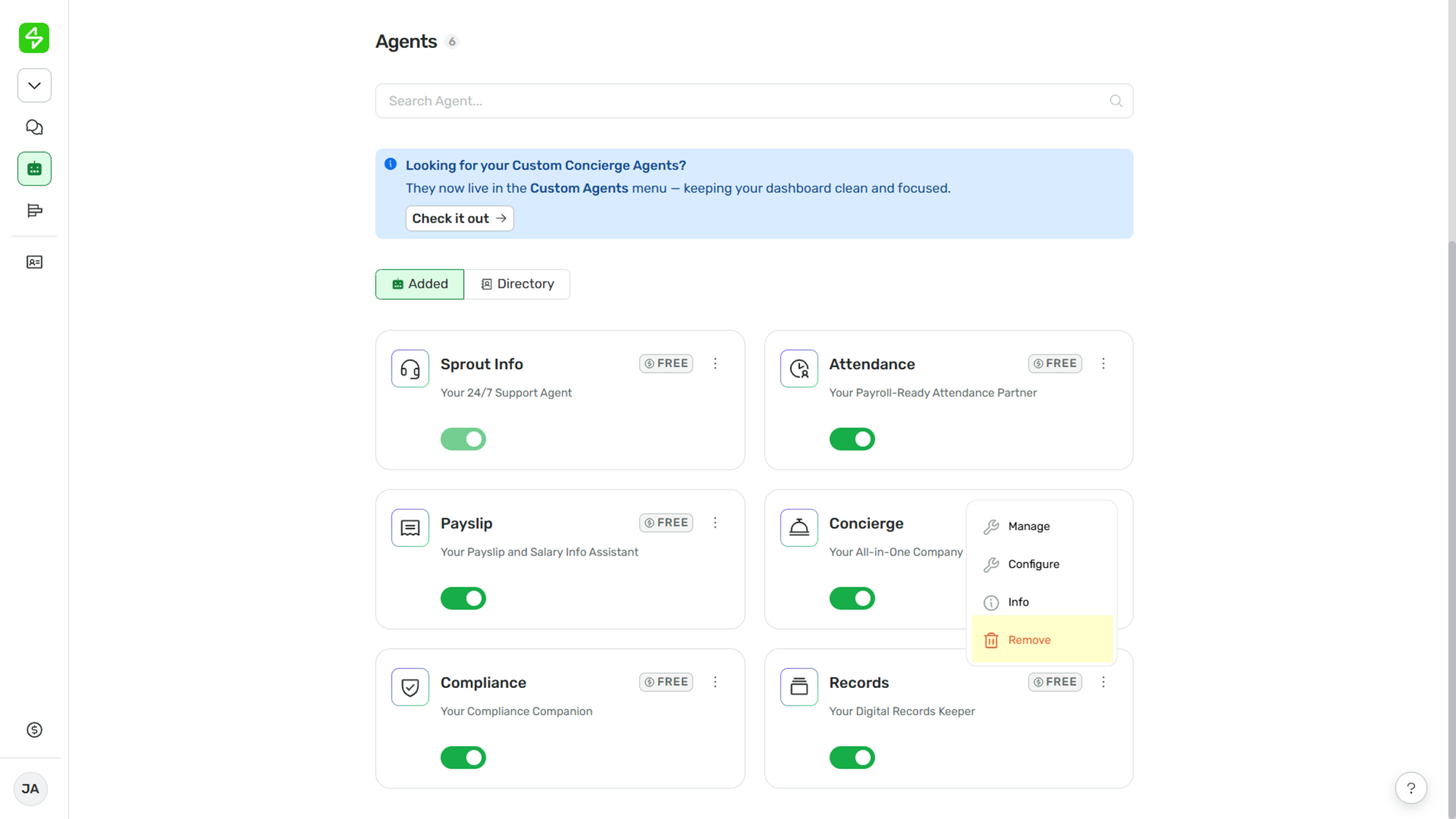
- A confirmation modal will be displayed. Click Remove.
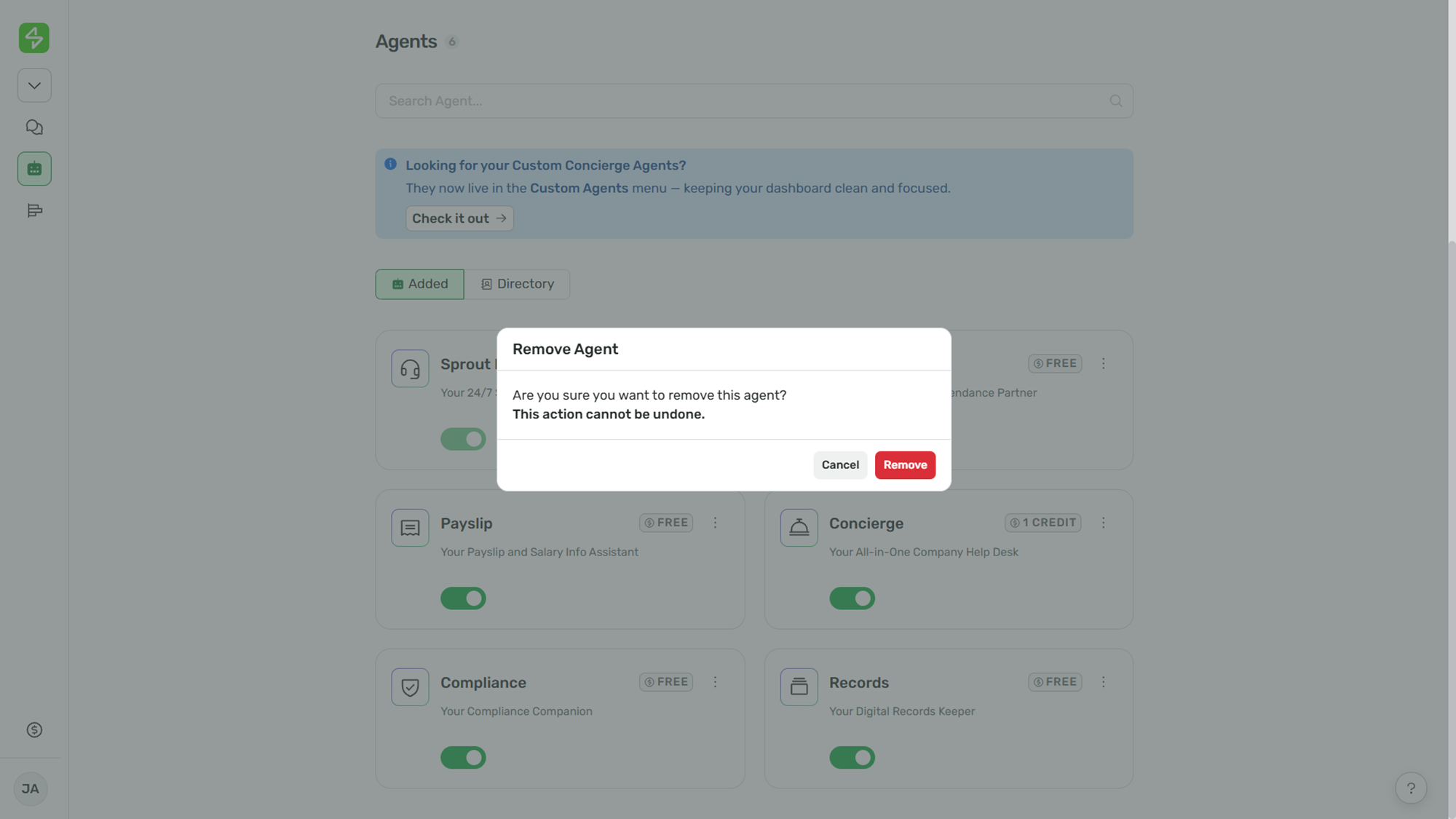
That’s it! Simply follow the steps above to successfully remove an agent from Sidekick Central.
Want real-time responses? Explore Sidekick, your 24/7 guide for product inquiries!