
Just like in Sprout HR, our AI-powered companion is also available on Mobile and is enabled by default for all Dashboard Types.
You can find Sidekick on the home screen, located at the lower-right corner, giving you quick access to your in-app assistant anytime.
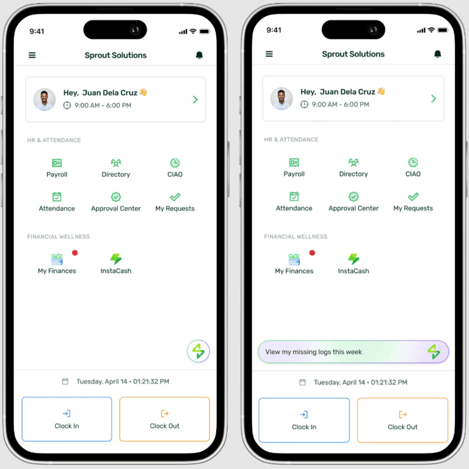
When you tap Sidekick, an in-app browser will open — but don’t worry, you won’t need to log in again. You’ll be automatically redirected to Sidekick, giving you instant access to all its capabilities.
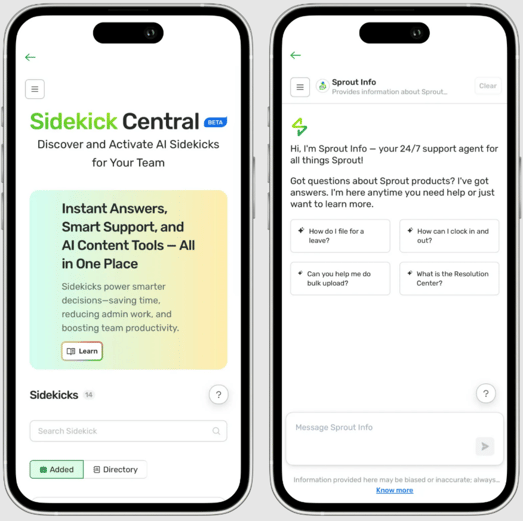
Note: As mentioned, Sidekick is enabled by default and can be accessed by all employees in your company. However, if you don’t see Sidekick in the app, your company may not be enabled for Single Sign-On (SSO) yet. SSO is a requirement for Sidekick to function on both Web and Mobile.
If this happens, please reach out to your HR Admin so they can coordinate with our Support Team for assistance.
Want real-time responses? Explore Sprout Info, your 24/7 guide for product inquiries!