
5 Step Guide to Activate Teamtailor on Sprout HR Dashboard
Step 1: Client provides the SSO details to their Sprout CSM
The client collects three values from their Teamtailor account and sends them to the CSM: the SP Entity ID, the ACS URL (Assertion Consumer Service URL), and the Login URL.
Step 1.1: SP Entity ID and ACS URL
-
Go to Settings.
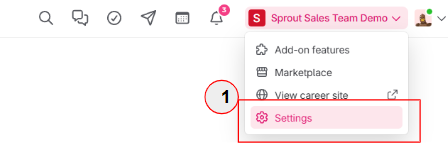
- On the left-side navigation panel, scroll down and go to Security > Single sign-on (SSO).
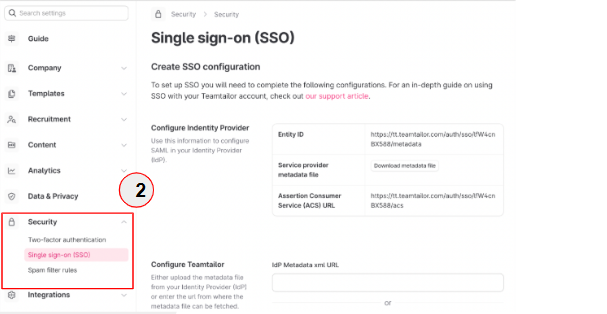
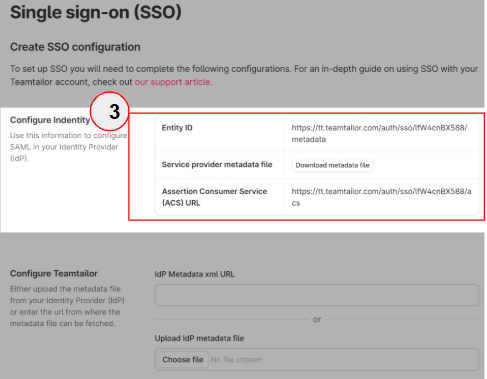
- Look for the Entity ID and ACS URL fields.
- Copy the values shown in both the Entity ID and ACS URL fields.
Step 1.2: Login URL
-
Go to Settings.
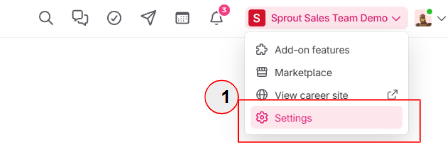
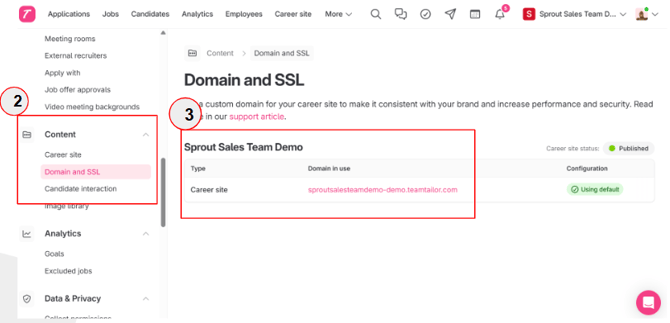
- On the left-side navigation panel, scroll down and go to Content > Domain and SSL.
- Copy the value shown in the Login URL field.
Step 2: Sprout CSM submits the Change Request Form (CRF)
- Client’s CSM will file and complete the Change Request Form (CRF) for the client.
- CSM will then process this form and get back to the client with the Metadata URL Link, which the client needs to import and enable SSO
Step 3: Client configures SSO in Teamtailor
Step 3.1: Import the metadata
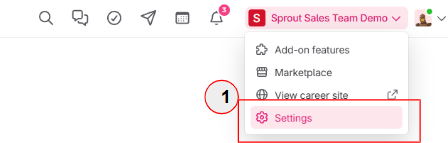
- Go to Settings.
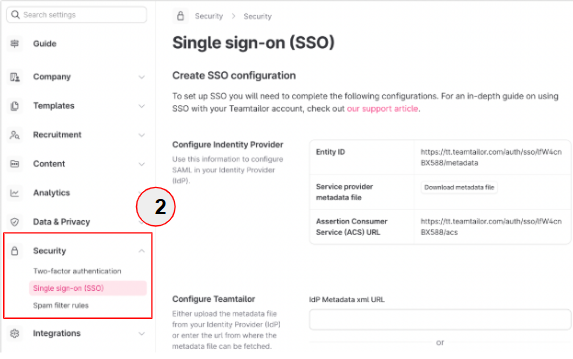
- On the left-side navigation panel, scroll down and go to Security > Single sign-on (SSO).
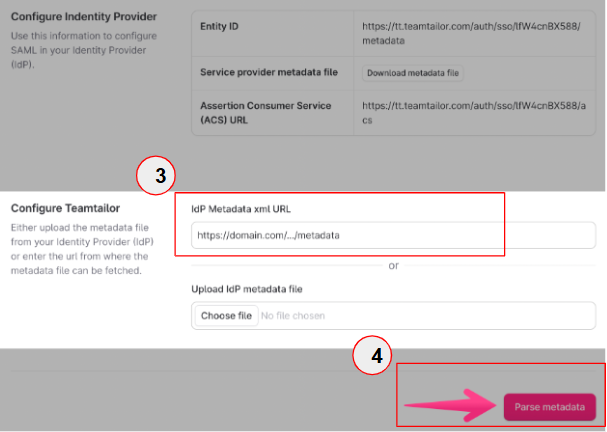
- In the IdP Metadata xml URL field, enter the URL of the metadata file from Sprout. Alternatively, upload the IdP metadata file using Choose file.
- Click Parse metadata.
Step 3.2: Enable SSO for all users
- Go to Settings.
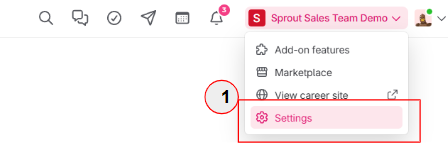
- On the left-side navigation panel, scroll down and go to Security > Single sign-on (SSO).
- Click Enforce SSO.
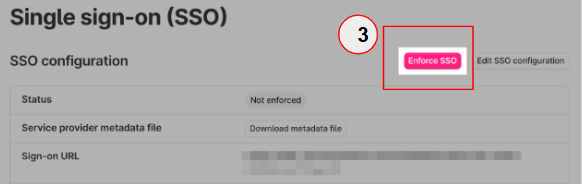
- Set the Default User Role to Default User.
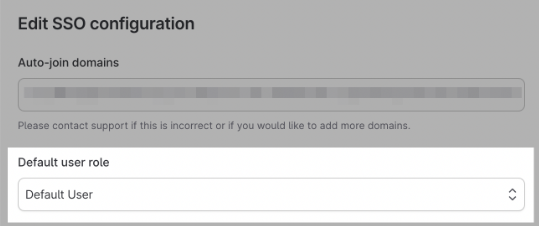
Step 4: Client confirms with their CSM that they have enabled their SSO and have completed step 3 inside their Teamtailor Account.
Step 5: Sprout CSM helps activate the Teamtailor App Center tile on the client’s Sprout HR Dashboard.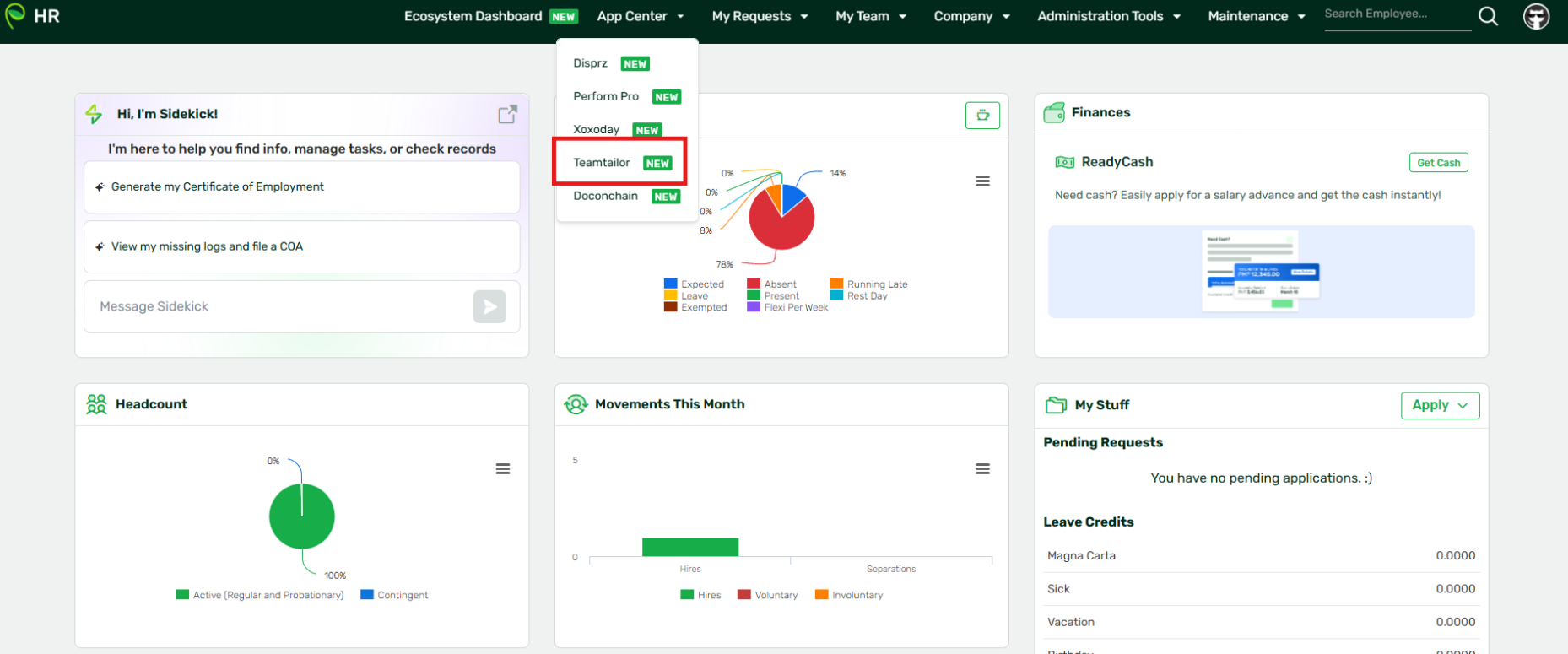
Need a little extra guidance? Our video walkthrough takes you through the process step by step.
Got a question or need extra help? Sidekick makes it easy — get answers, raise a ticket, or schedule a call with our experts, all in one place.