
Smart reminders for your day.
CIAO makes timekeeping easier by sending you helpful alerts to clock in and out. Users with Mobile Bundy enabled can even clock in/out directly from the CIAO notifications.
Clock In And Out (CIAO)
The CIAO widget in the Sprout Mobile App helps you stay on top of your work hours by sending reminders to clock in and out.
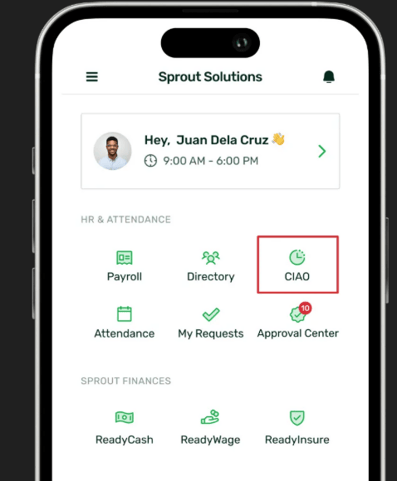
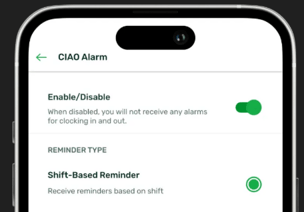
When disabled, you will not receive any clock-in or clock-out notifications. However, when enabled, you can choose between two reminder types: Shift-Based Reminder or Custom Reminder.
Reminder Types
Shift-Based Reminder
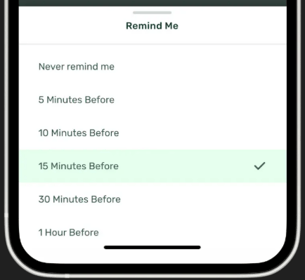
Receive notifications to clock in before your shift starts and to clock out after your shift ends.
You can choose from these pre-defined options:
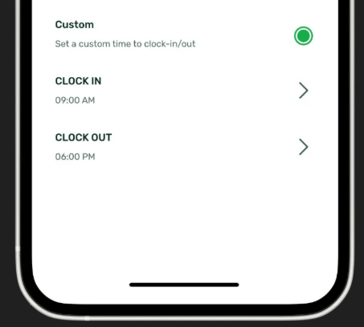
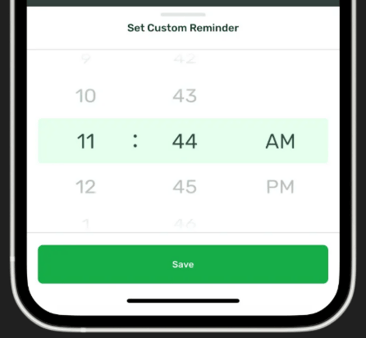
Custom Reminder
Set your own reminder time to clock in and out. This is especially useful if you’re on a flexible shift type.
Helpful Tips
- You can only select one reminder type at a time (Shift-Based or Custom).
- Make sure to allow notifications for the Sprout Mobile App in your device settings to receive CIAO reminders.
Want real-time responses? Explore Sprout Info, your 24/7 guide for product inquiries!