
Overview
This article provides the steps to validate the amount assigned to a specific General Ledger (GL) Code in the General Ledger Report and trace the amount back to the corresponding payroll entries.
Importance
Validating each GL Code and its corresponding amount helps identify the source of amounts reflected in the General Ledger Report.
If the General Ledger is not balanced, reviewing the current GL setup and mapping can help identify potential discrepancies. However, other factors may also contribute to an unbalanced GL.
This article focuses on how to validate each General Ledger Code and its corresponding amount.
Sample Scenario
A General Ledger Report was generated specifically for a Part-Time payroll run type, Period 2.
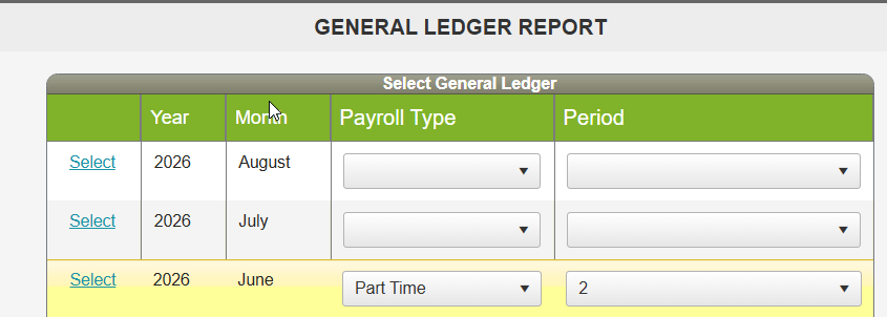
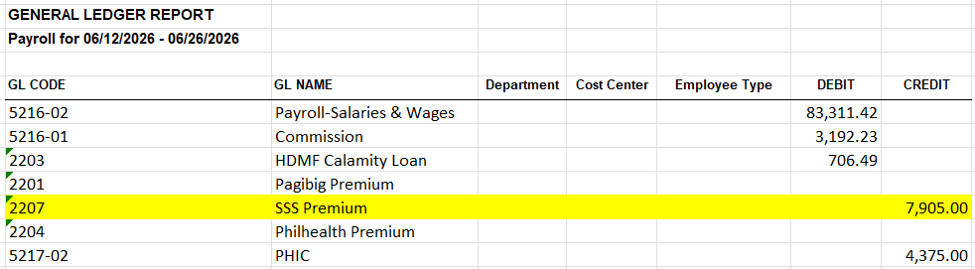
The objective is to determine where a specific amount came from, particularly the amount reflected under GL Code 2207.
Procedure
Step 1: Generate the General Ledger Report Mapping
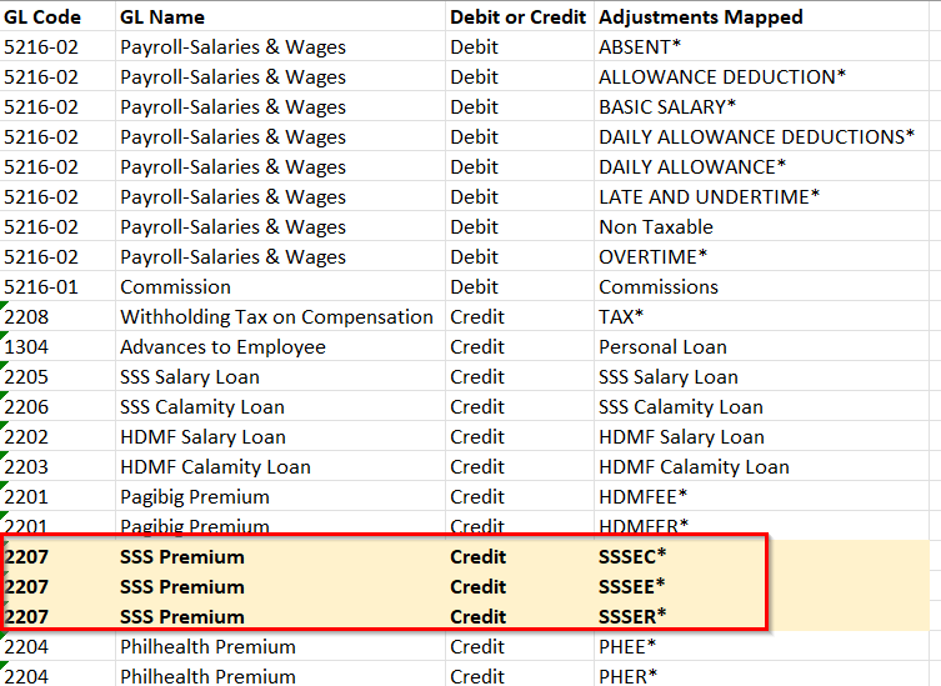
Generate the General Ledger Report Mapping to identify where the amount under the specific GL Code was mapped from.
Step 2: Identify the Adjustments Mapped to the GL Code
Review the General Ledger Report Mapping and identify all adjustments mapped under the specific GL Code.
For this example, identify all adjustments mapped under GL Code 2207.
Step 3: Generate the Payroll Report
Generate either a Monthly Report or Payroll Register for the specific payroll period being reviewed. How to Generate Monthly Payroll Summary in Sprout Payroll / How to Generate Payroll Register or Payroll Summary?
Make sure that the report covers the same period as the General Ledger Report.

Step 4: Total the Adjustments
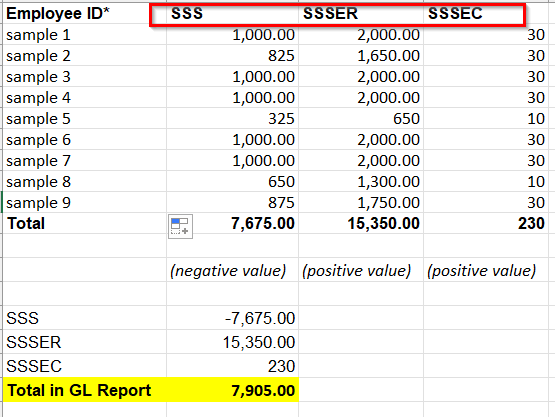
Review the generated report and total all adjustments that are mapped to the specific GL Code.
For this example, total all adjustments mapped under GL Code 2207.
Step 5: Validate the Amount
Compare the total amount of the adjustments mapped to the GL Code against the amount reflected in the General Ledger Report.
This allows you to identify and validate the source of the amount reflected under the specific GL Code.
General Ledger Report

Breakdown from Payroll Register
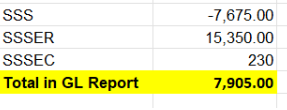
The total adjustments mapped to the selected GL Code can be used to validate the amount reflected in the General Ledger Report for the specific payroll period.
Need more help?
Sidekick makes it easy — get answers, raise a ticket, or schedule a call with our experts, all in one place.